A monitor crash can shatter glass, destroy electronics, and cause serious injury. Whether you work from home, run a home theater, or operate in a high-vibration space like a boat or seismic zone, preventing monitor falls should be a top priority. The good news: proven, affordable, and often invisible solutions exist to keep your display exactly where it belongs.
You do not need to be an engineer to protect your setup. From adhesive strips and spring clamps to wall mounts and screw-down barriers, this guide walks you through every option based on your risk level, budget, and aesthetic needs. Let us stop guessing and start securing.
Choose the Right Securing Method
Not all monitors or environments are the same. The best way to prevent monitor falls depends on your desk stability, room traffic, and whether you face high-risk conditions like earthquakes or active kids and pets. Below are the most effective solution categories, ranked by strength and suitability.
Match Solution to Risk Level
- Low Risk (occasional bumps): Use anti-slip gel pads or a spring clamp.
- Medium Risk (pets, kids, light desk): Add a tether strap or screw-down wood barrier.
- High Risk (earthquakes, ships, tall shelves): Use wall mounting or industrial adhesive with mechanical backup.
Relying solely on weak adhesives like electrical tape creates false security and fails under leverage.
Evaluate Your Monitor Setup
Before picking a method, answer these questions:
– Is your desk or shelf stable?
– How heavy is your monitor? Most commercial fasteners support up to 50 lbs.
– Do you move your monitor often?
– Is it on a tall shelf or near foot traffic?
Knowing this helps you skip ineffective methods and go straight to what works.
Use Strong Adhesives Correctly
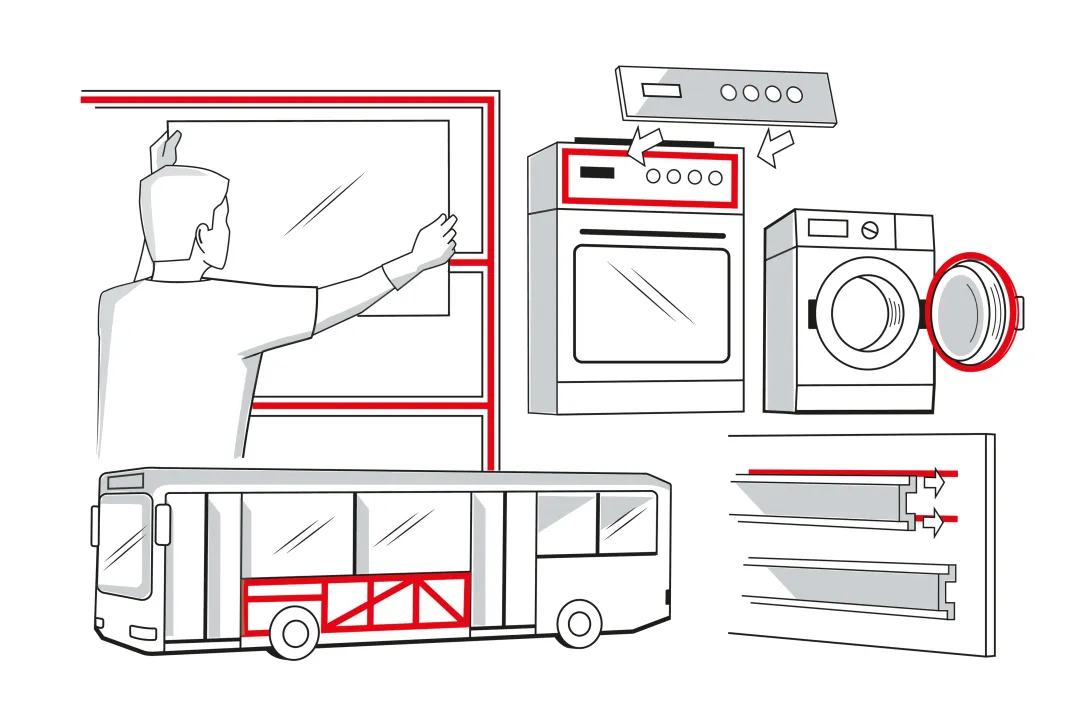
Adhesives can be powerful when you choose the right kind and apply it properly. Standard tapes will not cut it, but industrial-grade options offer real protection.
Apply 3M VHB Tape Securely
3M VHB (Very High Bond) foam tape is a top-tier adhesive used in commercial anti-tip kits. It bonds securely to smooth surfaces and holds monitors in place during moderate shocks.
Steps:
1. Clean both surfaces with the included alcohol wipe.
2. Test a small piece first to avoid furniture damage.
3. Apply tape to the monitor base or shelf.
4. Press firmly and let bond for 24 hours before stress exposure.
Pro Tip: Use sparingly. Over-application increases the risk of surface damage when removing.
Install Commercial Anti-Tip Fasteners
The SAFE-T-PROOF™ STP-200-11A system uses 3M VHB tape with an 18-inch tether strap for added safety. It supports monitors up to 50 lbs and installs tool-free.
Kit Includes:
– Two 1.5″ x 2.5″ fasteners
– One slider and strap
– Three adhesive pads
– Alcohol wipe
Ideal for post-earthquake stability, this system keeps your monitor upright after sudden movements.
Avoid Electrical Tape
Electrical tape is ineffective. It lacks shear strength and fails when a shelf or desk is bumped hard. Do not risk your safety with sticky solutions that offer no structural support.
Try Epoxy Putty for Semi-Permanent Hold
For a custom, strong bond that remains modifiable, use epoxy putty.
How to Apply:
1. Wrap the monitor base in plastic wrap to prevent permanent sticking.
2. Mold putty around the base.
3. Clamp temporarily and let cure (sets in minutes).
4. Remove clamp after hardening.
This method resists strong impacts and works well on uneven surfaces.
Install Mechanical Tethers and Clamps
When adhesives are not enough, mechanical restraints provide superior hold. These systems physically block or tether the monitor, making them ideal for high-risk areas.
Attach a Spring Clamp to Desk Edge
A spring clamp is a low-cost, non-invasive way to lock your monitor to the desk.
Benefits:
– No tools or drilling
– Easy to remove
– Stops accidental kicks from shifting the monitor
How to Use:
1. Clip the clamp to the back of the monitor stand.
2. Secure the other end to the desk edge.
3. Ensure it is tight enough to prevent lift.
Best for lightweight desks prone to movement.
Secure with Strap or Ribbon Tether
Use a nylon strap, flat ribbon, or rope to tether the monitor base to the desk.
Options:
– Nail-Secured Ribbon: Attach ribbon to desk with nails on both sides of the base.
– Screw-Down Nylon Strap: Screw a strap longer than the base into the shelf, pressing down on it.
Both methods are used on ships and in earthquake zones and work under extreme conditions.
Visual Tip: On tall shelves, the strap or wood stays hidden behind the monitor, preserving aesthetics.
Build a Screw-Down Wood Barrier
Cut a wooden strip slightly wider than your monitor base and screw it into the shelf on both sides.
Why It Works:
– Acts as a physical stopper
– Holds base firmly without glue
– Invisible from the front
This method is praised for being strong, simple, and unobtrusive.
Boost Friction with Anti-Slip Pads
Sometimes all you need is a little grip. Anti-slip pads are perfect for preventing small slips and vibrations from turning into falls.
Use Earthquake Gel Pads
Also called shock-proof or anti-slip monitor pads, these are common in Japan and seismic areas.
How They Work:
– Made of sticky gel that resists sudden movement
– Sticks to desk and monitor base
– Holds firm during shocks but allows repositioning
Best For: Minor desk bumps, light tremors, or temporary setups.
Note: Not sufficient for tall shelves or heavy impacts. Pair with a tether if risk is high.
Stabilize the Desk First
Instead of securing the monitor, stop the desk from moving. This tackles the root cause of many falls.
Add Weight to Desk Legs
Place heavy objects like potted plants or books around the legs to act as ballast.
Why It Helps: Makes the desk harder to kick or slide, reducing monitor movement.
Position Desk Against a Wall
Push the desk flush against a wall to prevent backward tipping.
Bonus: Use a couch or bookshelf as a buffer behind the desk legs.
Upgrade to a Heavier Desk
Replace flimsy desks with solid wood or metal models. Heavier desks resist movement better and reduce the need for monitor-specific fixes.
Relocate Monitor to a Safer Surface
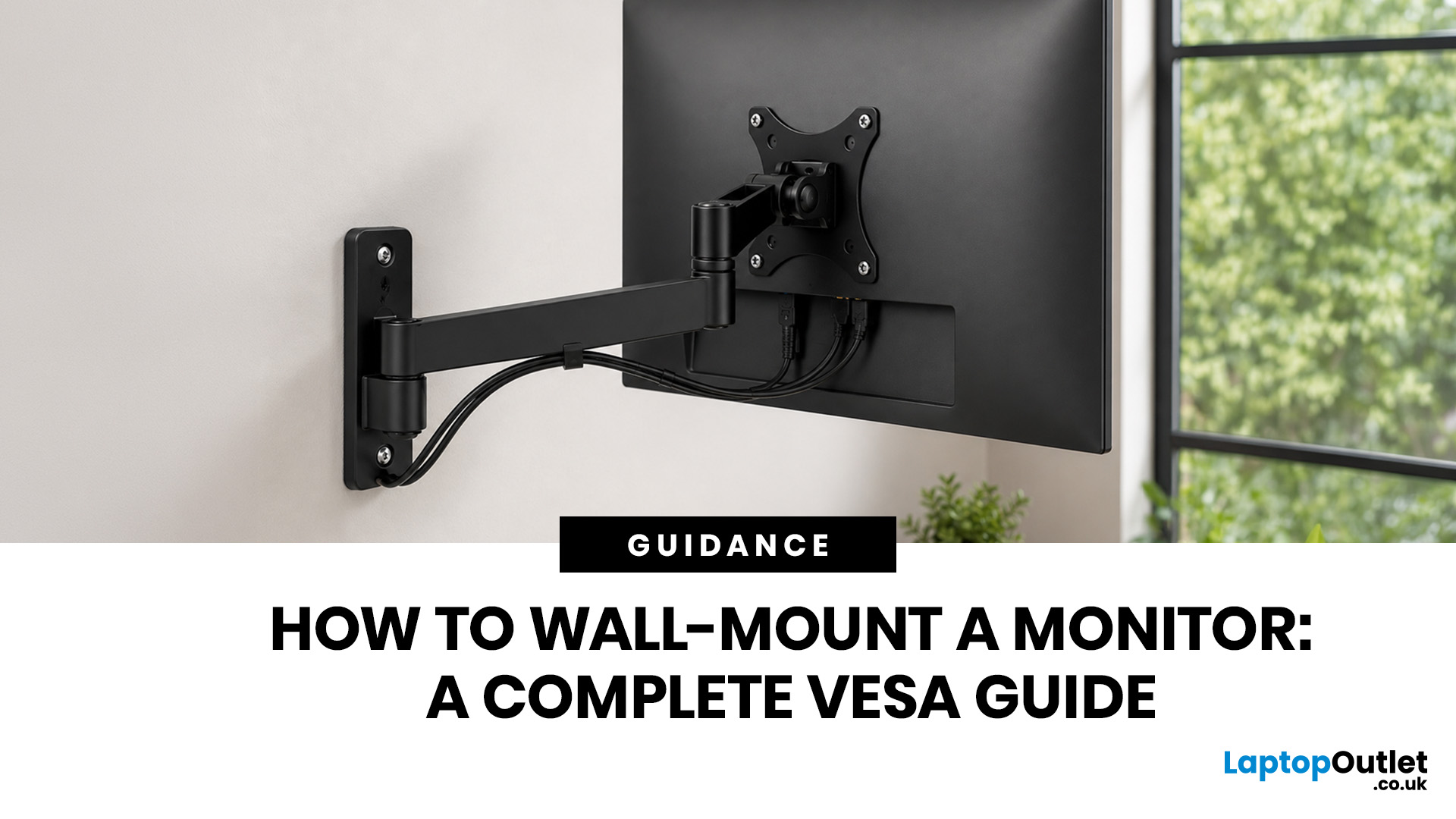
Sometimes the best fix is changing where the monitor sits. Moving it off unstable shelves or wobbly desks eliminates risk at the source.
Mount Monitor on the Wall
Wall mounting is the ultimate solution for preventing falls.
Benefits:
– Removes monitor from desk entirely
– Immune to desk kicks or shelf shaking
– Saves space and improves ergonomics
Installation Tips:
– Use a VESA-compatible mount.
– Drill into wall studs for maximum hold.
– Ideal for permanent setups or unstable surfaces.
Cost: $30 to $80 depending on mount type (full-motion versus fixed).
Reconsider Tall Shelf Placement
Shelves, especially tall ones, have a high center of gravity and are prone to tipping.
Risks:
– Bumps create leverage that can topple monitors.
– Standard tape fails under this stress.
Solutions:
– Use screwed-down straps or wood barriers.
– Apply 3M VHB tape with a secondary tether.
– Move monitor to desk or wall.
Follow Best Practices for Installation
No matter which method you choose, proper installation ensures long-term safety.
Prepare Surfaces Thoroughly
Dust, oil, or debris weaken adhesives.
Steps:
1. Wipe surfaces with alcohol.
2. Let dry completely.
3. Avoid touching cleaned areas with bare hands.
This step is critical for gel pads, VHB tape, and epoxy.
Test Adhesives First
Always test a small piece of tape on an inconspicuous area. Check:
– Bond strength
– Surface damage on removal
– Compatibility with material (wood, laminate, plastic)
This prevents costly mistakes.
Measure and Align Before Securing
For screw-down methods:
1. Measure monitor base width.
2. Cut wood or strap to exceed that width.
3. Position over base.
4. Screw into shelf on both sides.
Ensure screws do not crush the base. Just hold it firmly.
Combine Methods for Maximum Safety
Use layered protection in high-risk areas:
– Example: VHB tape plus tether strap
– Or: Gel pad plus spring clamp
This redundancy ensures one failure will not cause a fall.
Know What Not to Do
Avoid these common mistakes that compromise safety.
Do Not Rely on Weak Adhesives
Electrical tape, duct tape, or office tape will not hold under force. They stretch, peel, or lose stickiness over time.
Do Not Overuse Adhesive
More 3M VHB tape does not mean better. Excess tape increases removal difficulty and risk of furniture damage.
Do Not Ignore Weight Limits
The SAFE-T-PROOF™ system maxes out at 50 lbs. Heavier monitors need screw-down methods or wall mounts.
Do Not Skip Surface Prep
Dirty or oily surfaces cut adhesive effectiveness by up to 70%. Always clean first.
Choose Based on Your Environment
Your surroundings dictate the best solution.
For Earthquake Zones
Use earthquake gel pads or rigid fasteners like the SAFE-T-PROOF™ system. Combine with wall mounting for critical setups.
For Homes with Kids or Pets
Monitors get bumped or pulled. Use spring clamps, tether straps, or screw-down wood barriers.
For Maritime or Moving Vehicles
Ships and RVs need high-strength tethers. Use nylon straps secured with screws or nails. They handle constant motion.
For Bedroom Theater Setups
Monitors on tall shelves above beds are dangerous if they fall. Use invisible screw-down wood strips. They are strong and out of sight.
Frequently Asked Questions About Preventing Monitor Falls
What is the best way to prevent monitor from falling during an earthquake?
Earthquake gel pads and rigid anti-tip fasteners like the SAFE-T-PROOF™ system work best. For maximum safety, combine gel pads with a tether strap or mount the monitor directly to the wall using a VESA-compatible bracket drilled into wall studs.
Can electrical tape hold a monitor in place?
No. Electrical tape lacks the shear strength needed to hold a monitor during a significant bump or seismic event. It stretches, peels, and fails under leverage, especially on tall shelves. Use 3M VHB tape or mechanical restraints instead.
How much weight can commercial anti-tip fasteners support?
The SAFE-T-PROOF™ STP-200-11A system supports monitors up to 50 lbs. Heavier displays require screw-down wood barriers, nylon straps, or wall mounting for adequate protection.
Are spring clamps strong enough to secure a monitor?
Spring clamps provide medium-strength security and work well for lightweight desks prone to accidental kicks. They are non-invasive, tool-free, and easy to remove, making them ideal for temporary setups or rental spaces.
Will 3M VHB tape damage my furniture when removed?
It can if over-applied. Apply sparingly and test a small piece on an inconspicuous area first. Excessive tape increases removal difficulty and the risk of damaging the furniture finish or monitor casing.
Is wall mounting better than desk securing methods?
Wall mounting offers the highest level of security because it removes the monitor from desk-related risks entirely. It costs more ($30 to $80) and requires drilling into wall studs, but it is the best choice for permanent setups, unstable desks, or tall shelving situations.
Key Takeaways for Preventing Monitor Falls
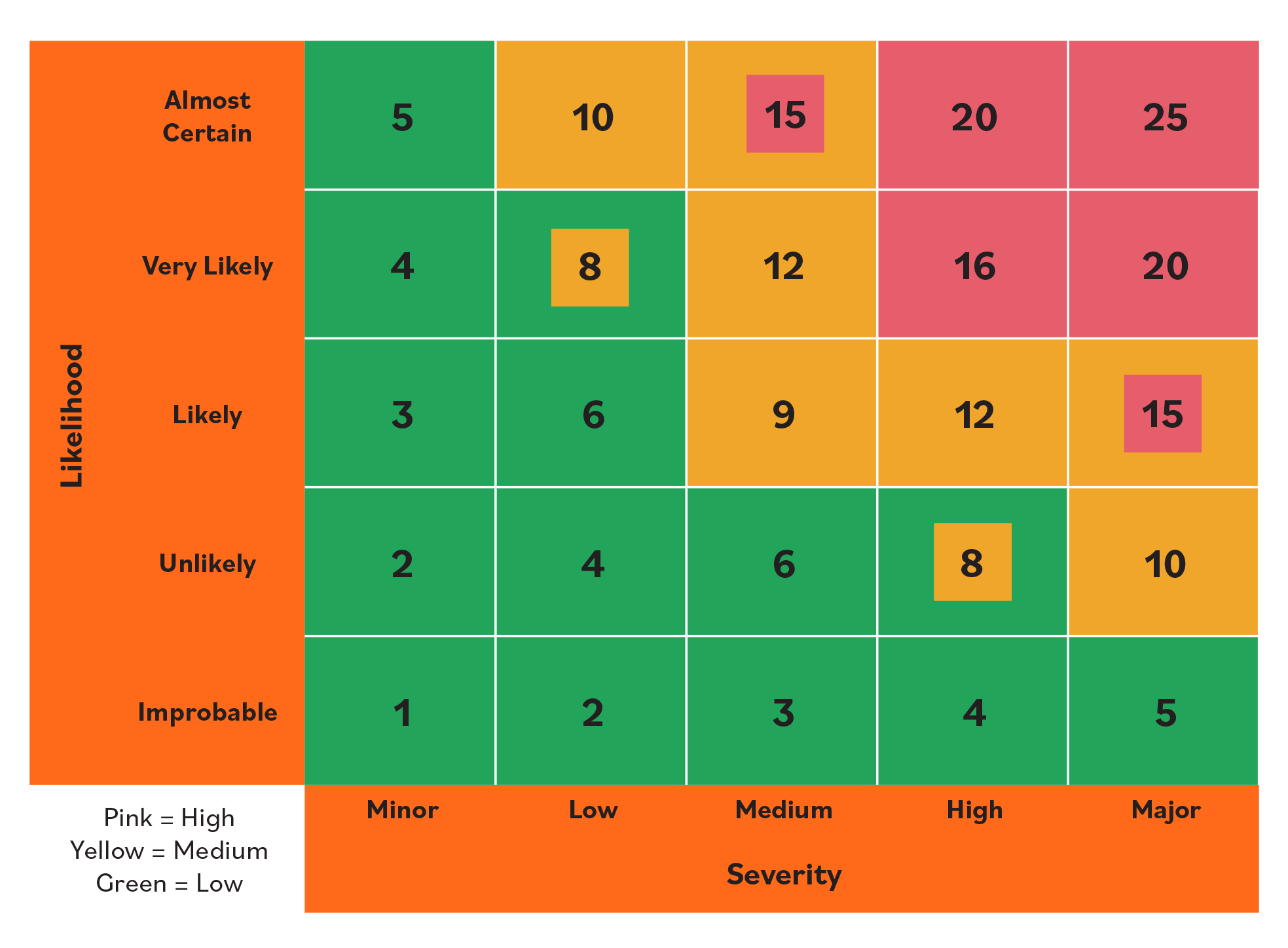
Preventing monitor falls comes down to matching the right method to your environment and installing it correctly. Start by assessing your risk level, desk stability, and monitor weight. Low-risk setups benefit from anti-slip gel pads or spring clamps, while high-risk environments like earthquake zones or maritime settings demand mechanical tethers, screw-down barriers, or wall mounting.
Avoid weak adhesives like electrical tape, always prep surfaces with alcohol before applying tape, and combine methods for layered protection in dangerous areas. The SAFE-T-PROOF™ system offers a tested, affordable commercial solution for monitors up to 50 lbs, while epoxy putty provides customizable semi-permanent strength.
Your next step is simple: pick the method that fits your setup, gather the materials, and install it today. A few minutes of work now prevents shattered screens, damaged electronics, and potential injury later.