Storing a computer monitor incorrectly often leads to cracked screens or internal corrosion that ruins the device before you use it again. You need to know exactly how to store a monitor using upright positioning and moisture control to avoid these costly mistakes.
This guide details the specific steps for cleaning, wrapping, and boxing your display to ensure it survives moving or long-term storage. You will learn professional techniques for cable management, layered protection, and safe reactivation to keep your investment secure.
Power Down and Cool the Monitor Safely
Preparing your device physically is the first step toward safe storage. Skipping this stage can trap heat inside the packaging and cause condensation damage.
Unplug All Power Sources
Disconnect the monitor from the wall outlet and remove all signal cables like HDMI or DisplayPort. Ensure the device is completely off rather than in standby mode to eliminate any electrical risk during storage.
Wait for Complete Cooling
Allow the monitor to sit unused for at least 30 minutes if it was recently powered on. Internal components generate heat that can create moisture pockets if you wrap the device while it is still warm.
Clean the Screen and Ports Thoroughly
Leaving dust or fingerprints on the screen can cause permanent scratches when wrapping materials press against the surface during storage.
Use Only Microfiber Cloths
Wipe the screen gently using a lint-free microfiber cloth to remove smudges without scratching the coating. Avoid paper towels or rough fabrics that can leave behind abrasive fibers or debris.
Clear Debris from Vents
Use compressed air or a soft brush to remove dust buildup from ventilation grilles and input ports. Trapped debris can attract moisture or cause overheating issues when you eventually power the device back on.
Ensure Total Dryness
Verify that the entire surface is completely dry before applying any wrapping materials. Any residual moisture trapped under bubble wrap promotes mold growth and internal corrosion over time.
Manage Cables and Accessories Properly
Disorganized cables often lead to damaged ports or lost adapters when you try to set up the monitor later.
Document Your Setup
Take a clear photo of the back of the monitor showing every connected cable before unplugging anything. This visual reference saves time and prevents errors when reconnecting your system.
Coil Cables Loosely
Wrap power and data cables in loose loops to avoid stressing the internal wiring structures. Secure these coils with Velcro straps or twist ties instead of rubber bands that degrade and leave sticky residue.
Label All Components
Place cables, stands, and remotes in a labeled plastic bag marked with the monitor model name. This practice prevents confusion if you are storing multiple displays or accessories simultaneously.
Remove the Stand to Reduce Bulk
Detaching the stand minimizes the footprint of your package and prevents accidental impact damage to the screen.
Follow Manufacturer Guidelines
Consult your user manual for specific instructions on removing the base or wall mount bracket safely. Most models require unscrewing a back plate or pressing a specific release mechanism to detach the stand.
Wrap Stand Separately
Cover the detached stand in bubble wrap and place it in its own labeled bag or small box. Never leave the stand loose inside the main monitor box where it could shift and strike the screen.
Wrap the Monitor in Protective Layers

Proper layering absorbs shocks and prevents surface scratches during transport or while sitting in storage.
Protect Screen with Cardboard
Place a rigid piece of cardboard directly against the screen face before applying any bubble wrap. This distributes pressure evenly across the panel and prevents indentations from tight wrapping.
Apply Multiple Bubble Wrap Layers
Wrap the entire monitor in three to five layers of large-bubble wrap for maximum cushioning. Overlap each layer carefully to ensure no gaps exist around the edges or ports.
Reinforce Vulnerable Corners
Attach foam corner protectors to all four corners before sealing the package with tape. These areas are impact hotspots that require extra protection during handling.
Avoid Direct Tape Contact
Apply packing tape only to the outermost layer of bubble wrap rather than the monitor casing. Tape residue can permanently damage anti-glare coatings or plastic finishes on the device.
Seal Ports Against Moisture Intrusion
Open ports allow humidity to enter the device and corrode internal circuits during long storage periods.
Cover Ports with Duct Tape
Seal all input and output ports including HDMI, USB, and power connections with duct tape. This step is critical if storing the unit in a garage, basement, or shed where humidity fluctuates.
Insert Silica Gel Packets
Place two or three silica gel packets inside the wrapping or box to absorb ambient moisture. These packets help prevent condensation buildup inside the casing during temperature changes.
Choose the Right Storage Box
The quality of your container determines how well the monitor survives physical pressure and environmental shifts.
Use Original Packaging When Possible
The manufacturer’s box with molded foam inserts offers the best protection due to its custom fit. This original setup is engineered specifically for your model’s weight distribution and dimensions.
Build a DIY Box if Needed
Select a double-walled cardboard box slightly larger than the monitor if the original is unavailable. Single-wall boxes collapse easily under pressure and do not provide adequate structural support.
Pack the Box Correctly for Safety
How you position the device inside the box matters just as much as the wrapping materials you use.
Create a Cushioned Base
Line the bottom of the box with three to four inches of crumpled paper or packing peanuts. This foundation absorbs shocks from below and creates a buffer zone for the device.
Store Upright Only
Place the wrapped monitor vertically in the center of the box and never lay it flat. Horizontal positioning creates uneven pressure on the LCD panel that leads to cracks or internal failure.
Fill All Empty Spaces
Pack additional cushioning material around the sides until the monitor cannot shift when shaken. Gaps allow impact forces to transfer directly to the screen during movement.
Seal and Label Clearly
Close the box flaps and seal all seams with heavy-duty packing tape in an H-pattern. Mark the exterior with “Fragile” and “This Side Up” labels to warn handlers of the delicate contents.
Store in a Safe Environment
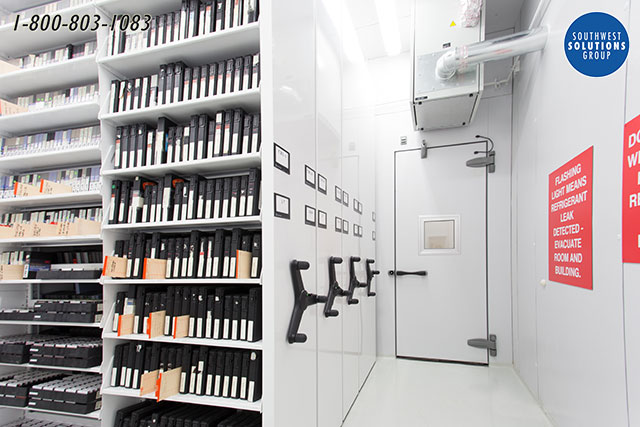
Even perfect packaging fails if the storage location exposes the monitor to extreme conditions.
Avoid Temperature Extremes
Keep the monitor in a climate-controlled space between 50°F and 80°F to prevent material degradation. Avoid attics or unheated garages where temperatures fluctuate wildly throughout the day.
Prevent Humidity Damage
Store the box away from concrete floors which retain moisture and cause humidity spikes. Elevate the package on pallets or shelves and use silica gel to maintain a dry interior environment.
Block Direct Sunlight
Keep the storage area dark to prevent UV rays from degrading screen coatings. Direct sunlight also causes uneven heating that can warp plastic components inside the casing.
Never Stack Heavy Items on Top
Do not place other boxes or heavy objects on top of the monitor box even if it is upright. Excessive weight can compress the casing and transfer dangerous pressure to the screen.
Store Multiple Monitors Safely
Handling more than one display requires extra care to prevent contact damage between units.
Use Individual Boxes
Place each monitor in its own properly padded box to isolate them from external impacts. Never tape bare monitors together or stack them without rigid separation.
Arrange Side-by-Side
Position boxes vertically next to each other rather than stacking them on top of one another. Secure the arrangement with straps or place them in a low-traffic area to prevent tipping.
Separate Unboxed Units
If boxing is impossible, wrap each monitor in thick blankets and place cardboard sheets between them. Store them vertically against a wall where they cannot fall or get bumped.
Long-Term Storage Tips
Extended storage periods require enhanced precautions to maintain device integrity over months or years.
Double-Barrier Wrapping
Add a plastic bag over the bubble-wrapped monitor before boxing for harsh environments. Finish with shrink wrap to create a sealed moisture barrier that protects against dampness.
Check Periodically
Inspect the storage area every few months for signs of leaks, pests, or temperature issues. Ensure boxes remain dry and upright throughout the entire storage duration.
Understand Insurance Requirements
Verify that your packing method meets insurance criteria if you are using professional movers. Unboxed or improperly packed monitors are often excluded from damage claims.
Reactivate After Storage Carefully
Bringing a stored monitor back online requires patience to avoid electrical shorts from condensation.
Allow Acclimation Time
Let the monitor sit at room temperature for two to four hours before plugging it in. This waiting period allows internal condensation to evaporate naturally and prevents circuit damage.
Inspect Before Powering On
Remove all packaging carefully and check for visible cracks or loose parts. Wipe the screen again with a microfiber cloth to remove any dust accumulated during storage.
Reconnect Using Your Photo
Refer to the setup photo you took earlier to reconnect cables and stands correctly. Power on the device and test for dead pixels or discoloration before full use.
Best Storage Methods Compared

| Method | Protection Level | Moisture Resistance | Best For |
|---|---|---|---|
| Original Box + Foam | Maximum | Moderate | Long-term, moving |
| Double-Box + Bubble Wrap | High | Low (unless sealed) | General storage |
| Plastic Bag + Shrink Wrap | Moderate | High | Damp areas (garages) |
| Unboxed Upright | Low | None | Temporary only |
Troubleshoot Common Storage Issues
Stored in an Unheated Garage?
Use plastic wrapping, duct tape on ports, and silica gel packets for protection. Elevate the box off the floor and allow four plus hours for acclimation before use.
No Box Available?
Never store the device bare. Make a rigid cardboard sleeve or buy a generic TV box and wrap the unit in blankets plus shrink wrap.
Monitor Was Stored Flat?
Inspect for cracks immediately and stand it upright to rest for 24 hours. Test for lines or discoloration which indicate internal panel damage.
Frequently Asked Questions About Monitor Storage
Can I lay my monitor flat for short-term storage?
No, you should never lay a flat-screen monitor flat even for short periods. Horizontal positioning creates uneven pressure on the LCD panel that can cause permanent cracking or internal damage.
How long can a monitor stay in storage?
A properly packed monitor can remain in storage for years if kept in a climate-controlled environment. Regular checks every few months ensure the packaging remains dry and intact.
Is it safe to store a monitor in a garage?
Storing a monitor in a garage is risky due to temperature swings and humidity unless you use extra moisture barriers. You must seal ports with duct tape and use silica gel packets to prevent corrosion.
What happens if I plug in a cold monitor immediately?
Plugging in a cold monitor can cause immediate short-circuiting due to internal condensation. Always allow the device to acclimate at room temperature for several hours first.
Do I need the original box to store a monitor safely?
While the original box is ideal, you can use a double-walled cardboard box with sufficient bubble wrap layers. The key is ensuring the monitor stays upright and does not shift inside the container.
Key Takeaways for Storing Your Monitor Safely
Properly storing a monitor requires keeping the device upright, wrapped in multiple protective layers, and placed in a climate-controlled environment. You must seal ports against moisture and allow adequate acclimation time before powering the device back on.
Follow these steps to ensure your display remains functional and free of damage during any storage period. Start by gathering your bubble wrap and boxes today to protect your investment effectively.