How to spray paint a monitor is a question many PC builders ask when they want their setup to match a specific color theme. Transforming a bland black or white screen into a custom centerpiece requires patience and the right technique.
This guide details the exact steps to disassemble your unit, prep the plastic, and apply automotive-grade paint safely. You will learn how to avoid common errors like peeling or screen damage while achieving a factory-quality shine.
Disassemble Your Monitor for Professional Results

Taking your monitor apart is the only way to guarantee a flawless finish without ruining the display. This approach prevents overspray on the screen and ensures you can reach every edge and vent.
Remove Screws and Open the Casing Safely
Unplug the device and let it sit for an hour before starting. Flip the unit over to find all visible screws, checking under rubber feet or stickers for hidden fasteners. Use a Phillips screwdriver to remove them and place every screw in a small container so nothing gets lost.
Release Internal Clips Without Breaking Them
Insert a plastic pry tool into the seam between the front bezel and the rear case. Gently twist to pop the clips loose while working around the entire perimeter with steady pressure. Avoid using metal tools directly on the plastic as they can easily crack the casing or leave scratches.
Detach Internal Components Before Painting
Disconnect any internal speakers or shields that might block your access to the rear panel. Remove the VESA mount or stand attachment if you need full coverage of the back surface. Set all separated plastic parts on a soft towel or foam pad to keep them safe from scratches.
Prepare Surfaces Like a Pro Painter

Proper surface preparation accounts for ninety percent of a successful paint job. Skipping cleaning or scuffing steps will lead to peeling paint and an uneven texture later.
Clean and Degrease All Plastic Parts
Wash every part with soap and water to remove dust and grime before drying them completely. Wipe all surfaces with isopropyl alcohol or a dedicated prep solvent to remove oils from fingerprints. Never touch the surface with your bare hands after this cleaning step.
Scuff the Plastic for Better Adhesion
Use a scuff pad or 800 to 1000 grit sandpaper to lightly abrade the entire surface area. Your goal is to create a microscopic texture for the adhesion promoter to grip rather than removing the original color. Sand in circular motions with light pressure to ensure full coverage without gouging the plastic.
Mask Areas If You Skip Disassembly
Cut a piece of cardboard slightly smaller than the screen if you cannot fully disassemble the unit. Place it over the display and seal the edges with high-quality painter’s tape without touching the glass directly. Cover all ports and buttons with precision to prevent paint from entering internal components.
Remove Dust Before Spraying Paint
Wipe down all sanded surfaces with a tack cloth to pick up fine dust particles. Avoid using compressed air since it can blow contaminants deeper into crevices instead of removing them. Inspect the surface under bright light to ensure it is perfectly clean before applying any chemicals.
Apply Adhesion Promoter Correctly
Plastic does not naturally bond well with standard paint so you must use a chemical bridge. An adhesion promoter ensures the paint sticks permanently without peeling off over time.
Spray Two Light Coats Evenly
Hold the can about 20 cm or 8 inches from the surface during application. Use smooth overlapping horizontal strokes to apply two light coats of plastic adhesion promoter. Do not flood the surface because light misting provides the best results for bonding.
Allow Proper Drying Time Between Coats
Let each coat dry for 15 minutes before applying the next layer of product. Follow the manufacturer instructions on the can for specific drying times to ensure maximum effectiveness. The surface will feel slightly tacky once dry which indicates it is ready for the primer stage.
Prime for a Smooth Base Layer
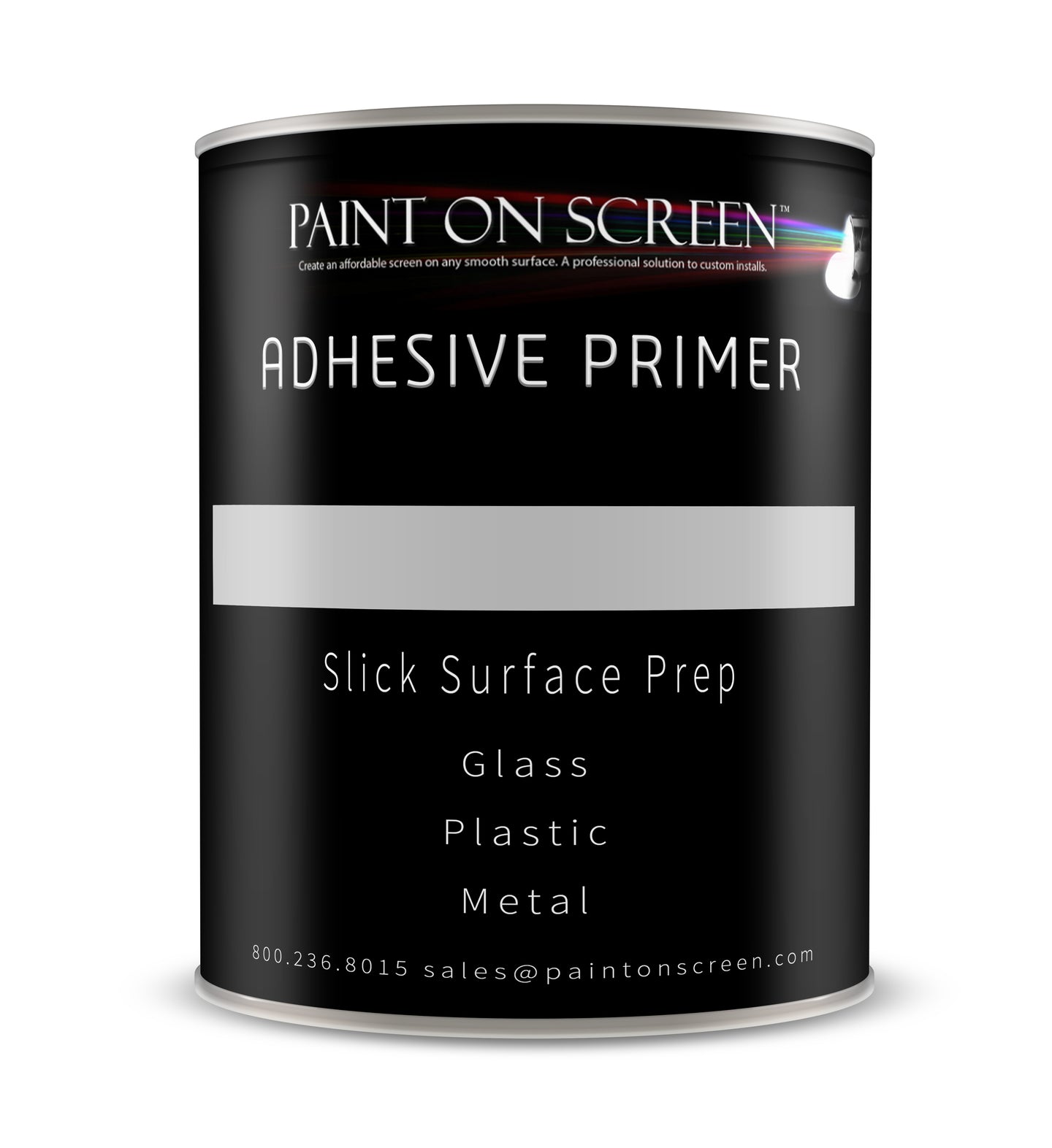
A sandable primer evens out surface imperfections and provides a uniform base for your color. This layer also makes it easier to spot flaws before you apply the final base coat.
Apply Three Light Primer Coats
Use the same spray technique with the can held 20 cm away from the part. Apply three light coats of primer while waiting for full drying between each application. Thick coats cause runs and an orange peel texture that is difficult to fix later.
Sand Between Coats If Needed
Lightly sand with 600-grit wet/dry paper after the second coat if you see dust nibs. Wipe the area clean with water then dry it and use a tack cloth again. The final primer layer must be smooth and free of texture before you move to the color stage.
Spray the Base Coat Evenly
The base coat provides the color you want whether it is gloss black or a custom metallic red. Technique matters more than the specific brand of paint you choose for this step.
Use Four Thin Even Coats
Apply four light coats of base paint while waiting 30 minutes between each layer. Keep the can moving constantly to prevent pooling or dripping on vertical surfaces. Overlap each pass by 50 percent to ensure consistent coverage across the entire part.
Let Base Coat Cure Fully
Allow the base color to dry for 24 hours before applying any clear coat. Rushing this step can cause the paint to wrinkle or lift when the clear coat solvents hit it. Work in a dust-free shaded area to avoid contamination during this critical curing period.
Finish with Clear Coat and Polish

The clear coat protects your color and adds depth to the finish. Without this protective layer even the best base coat will look flat and scratch easily.
Spray Four Gloss Clear Coats
Apply four light coats of high-gloss automotive clear coat to seal the base color. Clear coat is stickier than color paint so move slowly and keep the can in constant motion. Spray in a shaded low-humidity area because direct heat causes bubbling and premature drying.
Let It Cure for 24 Hours
Let the paint cure undisturbed for 24 hours after the final clear coat application. Do not touch move or dust the parts during this time to allow proper hardening. This waiting period allows solvents to evaporate and the film to harden correctly.
Wet Sand and Buff to Mirror Shine
Use 1500-grit wet sandpaper to lightly flatten any orange peel texture after curing. Sand in circular motions with water and stop immediately if the color starts showing through. Apply rubbing compound to a microfiber cloth and buff the surface until a mirror-like shine appears.
Reassemble Without Damage
Your parts are now painted and polished so it is time to put everything back together. Careful reassembly ensures your hard work remains intact and functional.
Check for Residue and Dryness
Ensure all components are free of dust fingerprints and compound residue before starting. Let any lingering moisture evaporate completely to prevent internal damage when powered on.
Snap Panels Back Into Place
Align the rear cover and press firmly around the edges to re-engage the plastic clips. Start at the top and work your way down while checking alignment if a clip resists. Reinstall all screws and the VESA mount securely.
Test Before Final Setup
Reconnect cables and power on the monitor to verify it works correctly. Check for any obstructions in ports or buttons that might have occurred during reassembly. Place it in your setup once confirmed and admire your custom finish.
Avoid Common Mistakes When Painting
Even experienced DIYers make errors so knowing what to avoid saves time and materials. Prevention is much easier than fixing a ruined paint job later.
Prevent Orange Peel and Runs
Spray too fast or too thick and you will get unwanted texture or drips on your monitor. Keep the can moving use light coats and maintain a 20 cm distance to avoid these issues.
Stop Paint from Peeling Off
Always use an adhesion promoter and degrease the surface thoroughly before painting. Touching the part after cleaning transfers oils that ruin adhesion and cause peeling later.
Keep Vents Paint-Free
Disassembly is the best defense against paint entering your monitor internals. If painting while assembled stuff vents with foam and seal them with tape carefully.
Avoid Glue Residue on Screen
Use low-tack painter’s tape and remove it immediately after painting is complete. Never leave tape on for hours in warm conditions as it leaves difficult adhesive residue.
Safety and Warranty Warnings
This project involves chemicals and disassembly so you must proceed with caution. Understanding the risks ensures you stay safe and informed throughout the process.
Work in a Ventilated Area
Always spray outdoors or in a well-ventilated garage to avoid inhaling toxic fumes. Primers and clear coats release harmful vapors that require fresh air circulation.
Wear a Respirator and Gloves
Protect your lungs with an organic vapor-rated respirator during all spraying steps. Wear nitrile gloves to avoid skin contact with solvents and paints.
Never Spray Near Power Sources
Keep the monitor unplugged and dry throughout the entire painting process. Moisture or chemical ingress can cause dangerous shorts when the device is powered.
Know You Are Voiding the Warranty
Opening the monitor and modifying it voids the manufacturer warranty immediately. Only proceed if the unit is out of warranty or you accept the risk of no coverage.
Frequently Asked Questions About Spray Painting Monitors
Can I spray paint a monitor without taking it apart?
You can paint an assembled monitor but it carries high risks of overspray and messy edges. Disassembly is strongly recommended to protect the screen and internal components from damage.
What type of paint works best on monitor plastic?
Automotive-grade spray paint designed for plastic substrates provides the most durable and professional finish. You must use an adhesion promoter specifically made for plastic to prevent peeling.
How long does the entire painting process take?
Active work time is about 3 to 4 hours but total project time spans 2 to 3 days due to curing. You must wait 24 hours between base coat and clear coat applications for best results.
Will spray painting my monitor void the warranty?
Yes disassembling the unit and applying non-factory coatings will almost certainly void your warranty. Proceed only if the monitor is out of warranty or you are comfortable accepting this risk.
How do I remove paint if I make a mistake?
Permanent automotive paint requires chemical stripping or heavy sanding to reverse completely. Consider using Plasti Dip if you want a removable option that peels off easily later.
Is wet sanding necessary for a good finish?
Wet sanding and compounding are essential for removing orange peel and achieving a mirror-like shine. Skipping this step results in a textured finish that looks like standard spray paint.
Key Takeaways for Spray Painting Your Monitor
Spray painting a monitor transforms standard hardware into a custom showpiece when you follow proper disassembly and prep steps. Success depends on using an adhesion promoter applying thin even coats and allowing full cure times between layers.
Take your time with surface preparation and polishing to achieve a factory-quality result that lasts. Gather your tools and materials today to start your custom monitor project with confidence.