Tired of staring at a plain, boring monitor every day? You’re not alone. Millions of remote workers, gamers, and creatives are personalizing their screens with fun, functional, and eye-catching decor. Whether you’re going for kawaii charm, sleek minimalism, or fantasy vibes, learning how to decorate a monitor has never been easier or more rewarding. In this guide, you’ll discover proven DIY techniques, top-rated accessories, style-specific tips, and compatibility hacks so you can customize your monitor safely and stylishly without blocking your webcam or damaging your device.
Washi Tape Monitor Makeover

Transform your monitor’s look in under 30 minutes with colorful washi tape. This low-cost, reversible method gives any screen a fresh, personalized upgrade.
Prep the Surface Before Applying
Start by cleaning the monitor frame thoroughly. Dust and oils can prevent adhesion. Use a dry microfiber cloth, then wipe with isopropyl alcohol if needed. Let it dry completely before applying tape.
Cut Clean Corners at 45 Degrees
Corners are the trickiest part. Avoid messy overlaps by cutting each corner at a 45-degree angle. Pre-measure with a ruler for symmetry. Press the tape firmly after each corner to prevent lifting.
Handle Curved Frames Carefully
If your monitor has curved edges, apply tape in small sections. Overlap slightly, then use a sharp razor blade to trim excess for a seamless finish. This prevents the stacked look caused by thin tape layers.
Choose Between One or Two Layers
A single layer offers a subtle, clean look but shows minor flaws. A double layer creates a bolder, vibrant appearance that hides imperfections and adds depth. Double layers enhance color impact, especially with pastel mint or yellow tape, but take slightly longer.
DIY Monitor Frame Upgrades
Give your monitor a high-end or retro look with custom framing solutions you can build or modify at home.
Build a Faux iMac-Style Frame
Turn a standard monitor into a Mac-inspired design using spray paint and trim molding. Paint the bezel glossy white, then add thin wooden or plastic strips around the edge for a sleek border. This works best on flat-panel monitors.
Spray Paint for Custom Colors
Use matte or glossy spray paint to match your desk theme. Prep the monitor by removing any removable parts and masking off the screen. Apply light, even coats in a well-ventilated area. Let dry 24 hours before reassembly.
Create a Wooden Bezel Frame
Cut thin walnut or bamboo strips to fit around the monitor’s edge. Sand smooth, stain or paint, then attach with double-sided tape or small brackets. This adds warmth and a premium feel.
Top Monitor Accessories to Buy
Upgrade your setup with ready-made decor that’s easy to install and instantly stylish.
Add Figurine Monitor Buddies
Place 3D-printed or resin figures on top of your monitor for instant personality:
- Alien Xenomorph for sci-fi lovers ($19.95)
- Sleeping Dragon for fantasy-themed toppers ($24.20)
- Resin Ducks (Set of 4) for cute office decor ($11.99 on sale)
These sit securely on the bezel and don’t require adhesives.
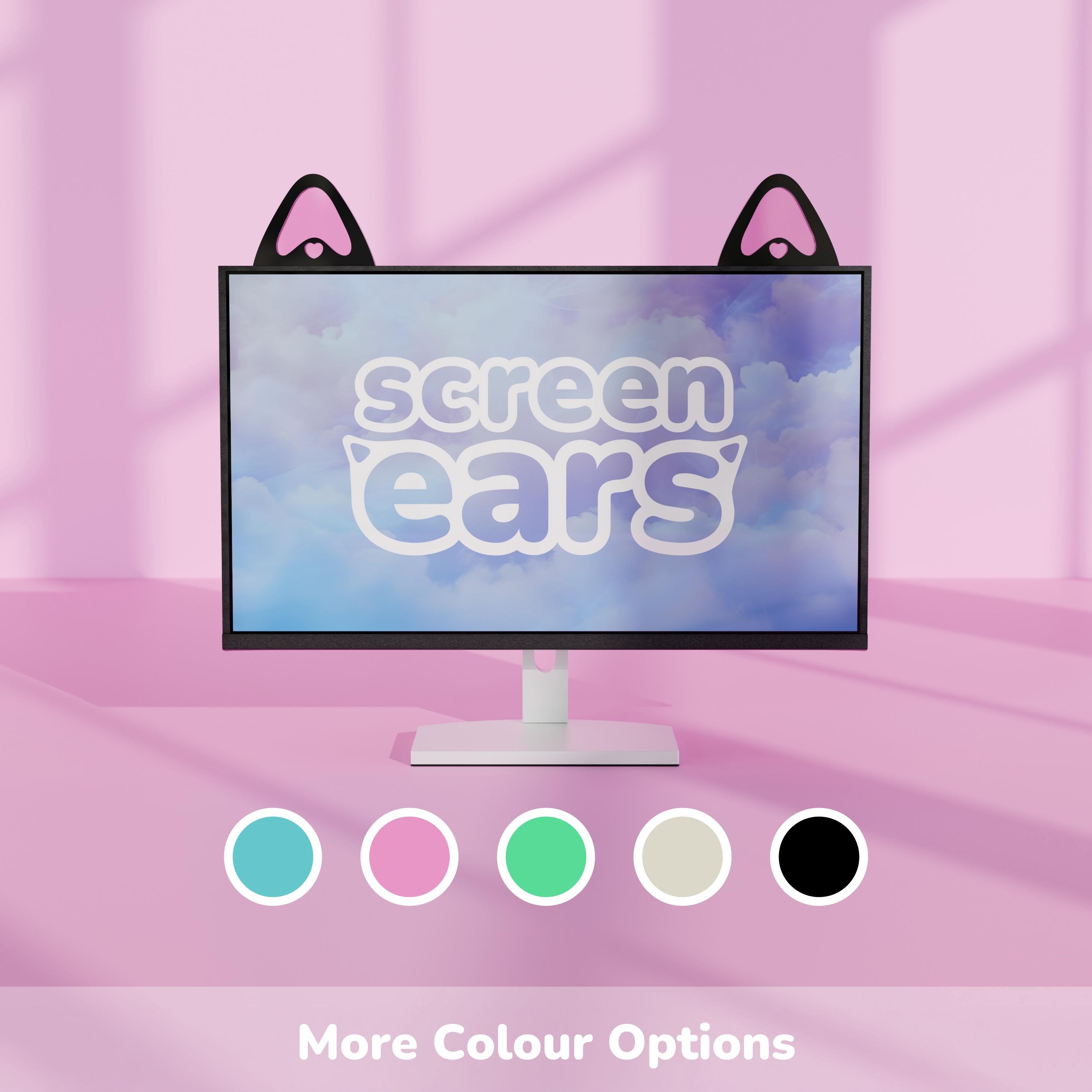
Install Monitor Bows and Ears
Kawaii-style accessories add playful flair:
- Pastel monitor bows in thick acrylic, adhesive-backed ($28.15)
- Cat ears for monitors in soft silicone or resin, pink or black
Perfect for gaming setups or cute-themed desks.
Use Bezel Stickers and Decals
Apply vinyl corner decals or full bezel stickers in themed designs:
- Anime characters
- Floral patterns
- Neon geometric shapes
Ensure your monitor’s corner radius matches the sticker design, especially for curved screens.
Functional Decor with Storage

Combine style and practicality with decor that helps organize your desk.
Choose a Monitor Riser with Shelf
Elevate your monitor and free up desk space with a walnut and black wooden riser ($89.00, 4.9-star rating). It holds keyboards, notebooks, or small decor below while improving ergonomics by raising the screen to eye level.
Attach a Clip-On Monitor Shelf
Snap a small shelf onto the top bezel for lightweight storage. It holds sticky notes, earbuds, or USB drives. It’s great for compact workspaces and super lightweight so it won’t damage your monitor.
Lighting and Ambient Accents

Enhance your monitor’s vibe with soft lighting and themed decor.
Add a Crochet Plant Lamp
The Lily Potted Plant Light ($13.99) brings cozy charm with a handmade crochet design and warm LED glow. It earns a 4.9-star rating from 6,405 buyers. Place it beside or behind your monitor for a cottagecore aesthetic.
Use Glowing Crystal or Mushroom Lamps
The Enchanted Forest Mushroom Lamp creates a whimsical nightlight vibe. Glowing Crystal Pillars offer claimed healing properties and RGB options. Both are ideal for fantasy, gothic, or mystical themes.
Match Your Aesthetic Theme
Pick decor that aligns with your personal style.
Go Kawaii or Cute
Embrace pink monitor bows, bunny-shaped covers, duck figurines, and a pastel color palette. This style is popular with coquette, soft girl, and anime-inspired setups.
Embrace Gaming Style
Add RGB monitor lights, sci-fi collectibles like the Arc Raiders Leaper, dual or triple monitor arms, and sleek black frames with sharp lines. Prioritize clean cable management and unobstructed webcam access.
Try Cottagecore or Nature Themes
Use wooden risers, mini potted plants, mushroom and fairy door accents ($14.50), and earthy browns and greens. Add a hanging bat planter ($33.90) for gothic woodland flair.
Opt for Minimalist Modern
Choose clear acrylic toppers, black-and-white decals, hidden cable trays, and neutral tones. Keep it clutter-free and functional.
Measure Before You Decorate
Avoid fit issues by checking key dimensions first.
Check These Key Measurements
- Top bezel width and thickness (most toppers and clips need at least 0.5″ flat edge)
- Usable flat area, which is critical for stickers and decals
- Corner radius, since rounded corners need flexible or custom-fit stickers
- Webcam position to ensure decorations don’t block the lens
Pro Tip: Use a digital caliper or ruler for accuracy.
Ensure Webcam Compatibility
Never sacrifice function for style when learning how to decorate a monitor.
Choose Webcam-Friendly Decor
Select low-profile toppers that sit to one side and leave the center clear. Use corner decals to avoid the top-middle area. Pick figurines with cutouts designed to frame the camera. Choose side-mounted bows or ears to keep the center unobstructed.
Avoid full-width screen toppers if your webcam is built into the monitor.
Pick the Right Decor for Curved Monitors
Curved screens need special attention to ensure proper fit and adhesion.
What Works Best on Curved Screens
Clip-on figurines rest securely on wide bezels. Bezel-resting toppers stay lightweight and stable. Adhesive decals may lift on tight curves, so test first. Suction cups often fail on textured or non-flat surfaces.
Stick to products labeled “curved monitor compatible.”
Personalize Your Monitor Decor
Make it uniquely yours with custom touches.
Add Custom Text or Names
Personalization is available on acrylic monitor toppers, wooden nameplate bases, and vinyl decal sets. Options include engraved, printed, or laser-cut lettering. Check seller customization fields for font and color choices.
Try Themed Custom Art
Hand-painted pet portraits ($37.50) are great for sentimental value. Custom Art Deco 3D signs ($12.00) add vintage flair. A Movies Watched Tracker is a 3D-printed cinema display perfect for streamers, collectors, or movie buffs.
Explore Secondary Display Decor
Add a mini retro monitor as both function and flair.
Mini HDMI External Display
This 4:3 aspect ratio display has a retro look and connects via HDMI to PC or Mac. On sale for $96.46, it functions as a secondary screen for clocks, music, or game feeds. It looks like a vintage TV, making it ideal for retro or cyberpunk themes.
Style Multi-Monitor Setups
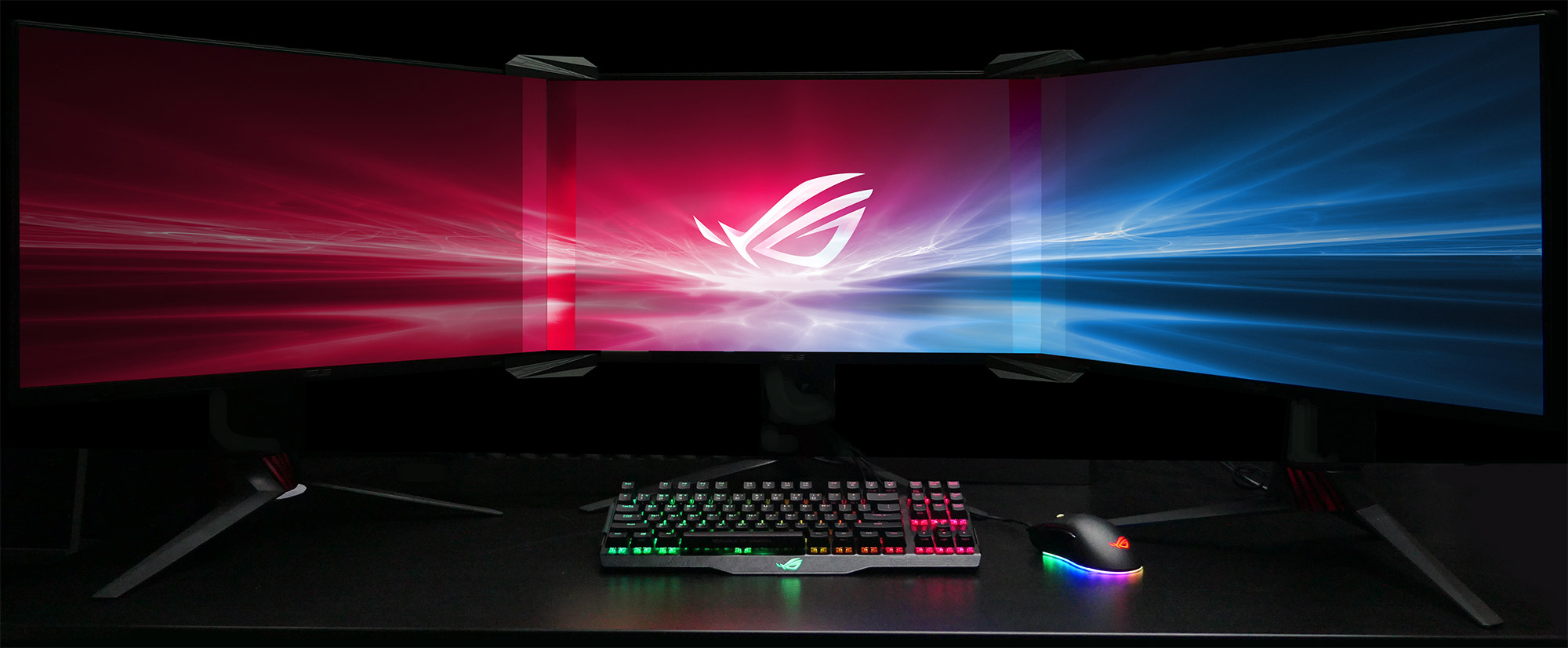
Go big without losing visual harmony.
Use a Triple Monitor Bezel-Free Kit
This $47.00 kit eliminates gaps between screens and offers adjustable angles and heights. One verified buyer called it “the only intelligent solution.” It creates a seamless, immersive display perfect for gaming or productivity.
Coordinate Decor Across Screens
Match washi tape colors on all frames. Place toppers on outer monitors only. Use ambient lighting behind all screens. Avoid clutter because less is more with multiple monitors.
Real User Favorites: Top-Rated Picks
See what buyers love most about these monitor decorations.
Kawaii Monitor Bows
One buyer said, “Thick, high-quality acrylic… I love the little bow details!”
Cat Ear Screen Toppers
A happy customer shared, “So cute and well made… brightened my day when they arrived.”
Walnut Monitor Riser
A reviewer noted, “Great for small spaces and looks expensive.”
Triple Monitor Kit
A verified buyer raved, “Perfect for bezel-free setup. Adjustable in every way.”
These consistently earn 4.8+ star ratings for quality and design.
Avoid Common Decoration Mistakes
Steer clear of these pitfalls when decorating your monitor.
Don’t Block Ventilation
Avoid covering side or rear vents with tape or thick frames. Overheating can damage internal components.
Don’t Use Permanent Adhesives
Glues or strong tapes can leave residue or peel off monitor coating. Stick to removable options like washi tape or 3M adhesive dots.
Don’t Ignore Weight Limits
Heavy 3D prints or metal decor can tip over or crack the monitor. Keep toppers under 8 oz unless designed for stability.
Don’t Forget Cable Management
Decor looks best when wires are hidden. Use clips, sleeves, or a monitor arm with built-in routing.
Frequently Asked Questions About Monitor Decoration
What monitor decor options keep the webcam area unobstructed?
Screen-corner decals, thin bezel stickers, and low-profile acrylic toppers that sit off to one side preserve camera access. Some figurine-style toppers feature center cutouts or small gaps designed specifically for camera placement.
Can monitor decor be personalized with a name or custom text?
Acrylic or wood toppers, small desk nameplates sized for a monitor base, and vinyl decal sets commonly offer personalization through engraved, printed, or cut lettering. Check seller customization fields for font and color choices.
What measurements should I check before buying monitor decorations?
Measure the top bezel width and thickness first, the usable flat area for vinyl decals, the corner radius for corner stickers, and the webcam position and clearance if applicable.
What style options are available for monitor decor?
Styles range from cute and playful (figurines, kawaii desk buddies, pastel themes) to sleek and minimalist (acrylic and resin shapes, LED accents, black-and-white designs). Nature themes with plants and mushrooms and modern tech aesthetics are also widely available.
Will monitor decorations work with curved monitors?
Most do, but compatibility depends on the attachment method. Clip-on toppers and bezel-resting figurines work well. Adhesive decals need careful placement. Suction-cup or hook-style pieces may be unreliable on textured bezels.
Key Takeaways for Decorating Your Monitor
Start small with washi tape or a single bow before investing in risers or kits. Coordinate monitor decor with your desk mat, keyboard, and lighting for a cohesive theme. Always prioritize function by keeping the webcam, vents, and ports clear. Choose reversible decor you can remove easily when needed, and add RGB strips or a small lamp for ambiance.
Decorating your monitor is more than just aesthetics. It’s about creating a workspace that inspires you every day. Whether you DIY with washi tape or splurge on a walnut riser, the best decor reflects your style while keeping your tech safe and functional. With the right tools and ideas, anyone can master how to decorate a monitor in a way that’s creative, practical, and uniquely theirs.