A cracked screen during a move almost always comes down to one oversight: improper wrapping. The display is the most fragile part of any computer setup, and even minor pressure or vibration can leave dead pixels, dark spots, or internal damage that no repair shop can fully undo. Learning how to wrap a monitor correctly protects your investment whether you are relocating an office, moving across town, or shipping a display to a new location.
This guide walks you through every step professional movers use, from preparing the screen and gathering supplies to selecting the right box and labeling for safe transport. You will also learn what mistakes to avoid, how to handle curved or ultra-wide displays, and when it makes sense to call in specialists. By the end, you will know exactly how to wrap a monitor so it arrives in perfect working condition.
Prepare the Monitor and Supplies Before Wrapping
Skipping preparation is the fastest way to end up with a scratched or nonfunctional display. Take ten minutes before you start packing to get both the device and your materials ready.
Power Down and Disconnect Everything
Always turn off and unplug the monitor at least ten minutes before packing. This prevents electrical surges and lets internal components cool down safely.
- Unplug all cables, including HDMI, DisplayPort, power, and USB
- Remove any attached accessories like webcams, speakers, or sensor bars
- Wipe the screen gently with a dry microfiber cloth
- Avoid alcohol-based cleaners, which can strip anti-glare coatings
Remove the Stand if Your Monitor Allows It
Most modern monitors have a detachable stand. Removing it reduces bulk and prevents stress on the mounting point during transit.
- Check the back of the monitor for a release latch or screw
- Place all screws in a labeled ziplock bag
- Wrap the stand separately and never let it touch the screen
Gather the Right Packing Materials
Quality supplies make the difference between a safe arrival and a broken display.
- Double-walled cardboard box, two to four inches larger than the monitor
- Bubble wrap, with two layers recommended
- Microfiber or flannel cloth that is lint-free
- Rigid cardboard or foam sheet cut to match the screen size
- Masking tape for securing wrap layers
- Heavy-duty packing tape for sealing the box
- Ziplock bags for screws and small parts
- Permanent marker for labeling
Never use thin boxes, newspaper directly on the screen, or single-layer bubble wrap without a barrier.
Build a Layered Screen Protection System

The screen is the most vulnerable component. One point of pressure can permanently damage IPS, OLED, or curved panels. Use this three-layer method that professional movers rely on.
Start With a Soft Fabric Layer
Lay a clean microfiber or flannel cloth over the entire screen. This prevents micro-scratches during handling and absorbs minor friction.
- Make sure the fabric is free of dust and grit
- Smooth out wrinkles to avoid pressure points
- Let excess fabric hang over the edges for full coverage
Add a Rigid Barrier Over the Fabric
Place a piece of corrugated cardboard or foam board cut to the exact screen dimensions over the cloth. This barrier is critical because it prevents bubble wrap pockets from pressing into the display.
- Use a box lid or shipping panel as the source material
- Trim carefully so edges match the screen exactly
- Do not use warped or bent pieces that could shift
Wrap With Two Layers of Bubble Wrap
Now wrap the entire monitor, including the sides and back, with two full layers of bubble wrap.
- First layer: small bubbles facing inward for cushioning
- Second layer: large bubbles facing outward for shock absorption
- Secure with masking tape at the edges and never tape across the screen
Leave one corner open until the monitor is in the box. This makes final positioning much easier.
Pack the Stand and Cables Separately
Loose parts inside the box are a leading cause of screen damage during moves. Always pack accessories on their own or in clearly separated compartments.
Wrap and Store the Stand Safely
- Cover the stand with bubble wrap or a soft cloth
- Tape loosely to avoid crushing the structure
- Place it in a separate corner of the moving truck or in a different box
Organize and Label Every Cable
Cable chaos leads to lost or damaged connectors. Stay organized from the start.
- Coil each cable neatly and secure with Velcro ties
- Place each one in a labeled ziplock bag marked HDMI, Power, USB-C, or Mount Screw
- Tape the bag to the outside of the monitor box for quick access at your destination
Choose the Correct Box and Position the Monitor

Without the original packaging, selecting the right replacement box is essential. The wrong size or weak material will undo all your careful wrapping.
Select a Double-Walled Cardboard Box
Use a new, double-walled box rather than recycled or taped-over containers.
- Interior dimensions should be two to four inches larger than the monitor on every side
- A 24-inch monitor typically fits in a 24 by 18 by 8 inch box
- A 27-inch monitor usually needs a 28 by 20 by 10 inch box
- Avoid any box with dents, tears, or soft spots
Line the Bottom With Cushioning
Add at least two inches of padding to the base of the box.
- Crumpled kraft paper works well
- Foam scraps add extra protection
- Dense bubble wrap is another solid option
This cushion absorbs impact if the box is dropped or jostled.
Place the Monitor Upright
Always position the monitor upright, exactly as it sits on a desk.
- Never lay it flat, since this increases pressure on the screen
- Align with any printed This Side Up arrows
- Fill the side gaps with padding to prevent shifting during the drive
Seal and Reinforce the Box
- Close all flaps and tape every seam with two layers of packing tape
- Reinforce the bottom with an H-pattern of tape for extra strength
- Avoid over-taping the top, which makes unpacking harder
Label the Box for Safe Handling
Even perfect wrapping fails if the box is mishandled. Clear labeling tells every mover exactly how to treat it.
Mark Fragile and Orientation Clearly
Use a permanent marker to write on at least three sides of the box.
- Write Fragile, Monitor, and This Side Up
- Add upward-pointing arrows for visual clarity
- Use waterproof printed labels for extra visibility if possible
Add Extra Handling Warnings
Include additional cues to reduce the risk of improper stacking.
- Write Do Not Stack on the top
- Write No Flat Placement on the side
- Write Handle with Care in a visible location
Transport the Monitor Upright and Temperature-Safe
How you move the box matters just as much as how you packed it. Poor transport conditions can undo even the best wrapping job.
Keep the Box Upright During Transit
- Place the box behind the front seat or wedge it between soft items
- Use pillows, blankets, or moving blankets to stabilize it
- Never place it under heavy furniture or in the trunk without support
Avoid Extreme Temperatures
LCD and OLED panels are sensitive to both heat and cold.
- Do not leave the monitor in a hot car above 95°F or 35°C
- Avoid freezing conditions below 32°F or 0°C
- Transport in the passenger cabin whenever possible
If the monitor has been in cold storage, let it sit unopened for two to three hours after arrival before powering it on. This prevents condensation damage to the internal electronics.
Special Handling for Curved and Ultra-Wide Monitors
Larger, curved, or ultra-wide displays need extra attention because their shape creates more vulnerable edges and corners.
Use Corner and Edge Protectors
- Apply foam corner guards to all four edges
- Wrap the sides with additional bubble wrap
- Consider custom foam inserts for high-end models
Double-Box for Maximum Safety
For any monitor over 32 inches, double-boxing provides the best protection.
- Place the wrapped monitor in a snug inner box with foam on all sides
- Insert that box into a larger outer box with at least three inches of padding
- Seal and label both layers clearly
Run a Final Check Before Moving
Walk through this quick checklist to make sure nothing is missed.
- Screen cleaned and wrapped in soft fabric
- Rigid barrier in place over the cloth
- Two layers of bubble wrap applied
- Stand removed and packed separately
- Cables labeled and stored in bags
- Correct box used with proper padding
- Monitor placed upright inside
- Box sealed and reinforced with tape
- Fragile and This Side Up labels applied
- Transport plan keeps the box upright
When to Hire Professional Movers

If you are moving a large, expensive, or multiple monitors, consider hiring specialists who handle electronics daily.
- Professional services offer anti-static wrapping
- They provide custom crates for curved screens
- They use climate-controlled transport for sensitive displays
- They include insurance coverage for high-value electronics
Experts handle rare, high-resolution, or studio-grade displays with protocols that go beyond standard DIY methods.
Frequently Asked Questions About Wrapping a Monitor
Can I wrap a monitor without the original box?
Yes, you can wrap a monitor without the original box by using a double-walled cardboard box that is two to four inches larger than the display on every side. Add a soft fabric layer, a rigid barrier, and two layers of bubble wrap before placing the monitor upright inside the box.
Is it safe to put bubble wrap directly on the screen?
No, it is not safe to put bubble wrap directly on the screen. The bubbles create pressure points that can leave marks or damage the matrix. Always place a microfiber cloth and a rigid cardboard barrier between the screen and the bubble wrap.
How should I position the monitor in the moving truck?
You should position the monitor upright in the moving truck, just as it sits on a desk. Wedge it between soft items like pillows or blankets to prevent shifting, and never lay it flat or face down during transport.
What temperature is dangerous for a monitor during a move?
Temperatures above 95°F or 35°C and below 32°F or 0°C are dangerous for a monitor during a move. Extreme heat can damage internal electronics, while extreme cold can cause condensation that harms the panel when powered on.
Should I remove the monitor stand before wrapping?
Yes, you should remove the monitor stand before wrapping whenever possible. The stand can shift during transit and scratch or dent the screen. Wrap it separately and store it in a different compartment or box.
When is it worth hiring professional movers for a monitor?
It is worth hiring professional movers for a monitor when the display is large, curved, ultra-wide, or high-value. Specialists offer custom crates, climate-controlled transport, and insurance coverage that protect premium equipment beyond what DIY methods can guarantee.
Key Takeaways for Wrapping a Monitor Safely
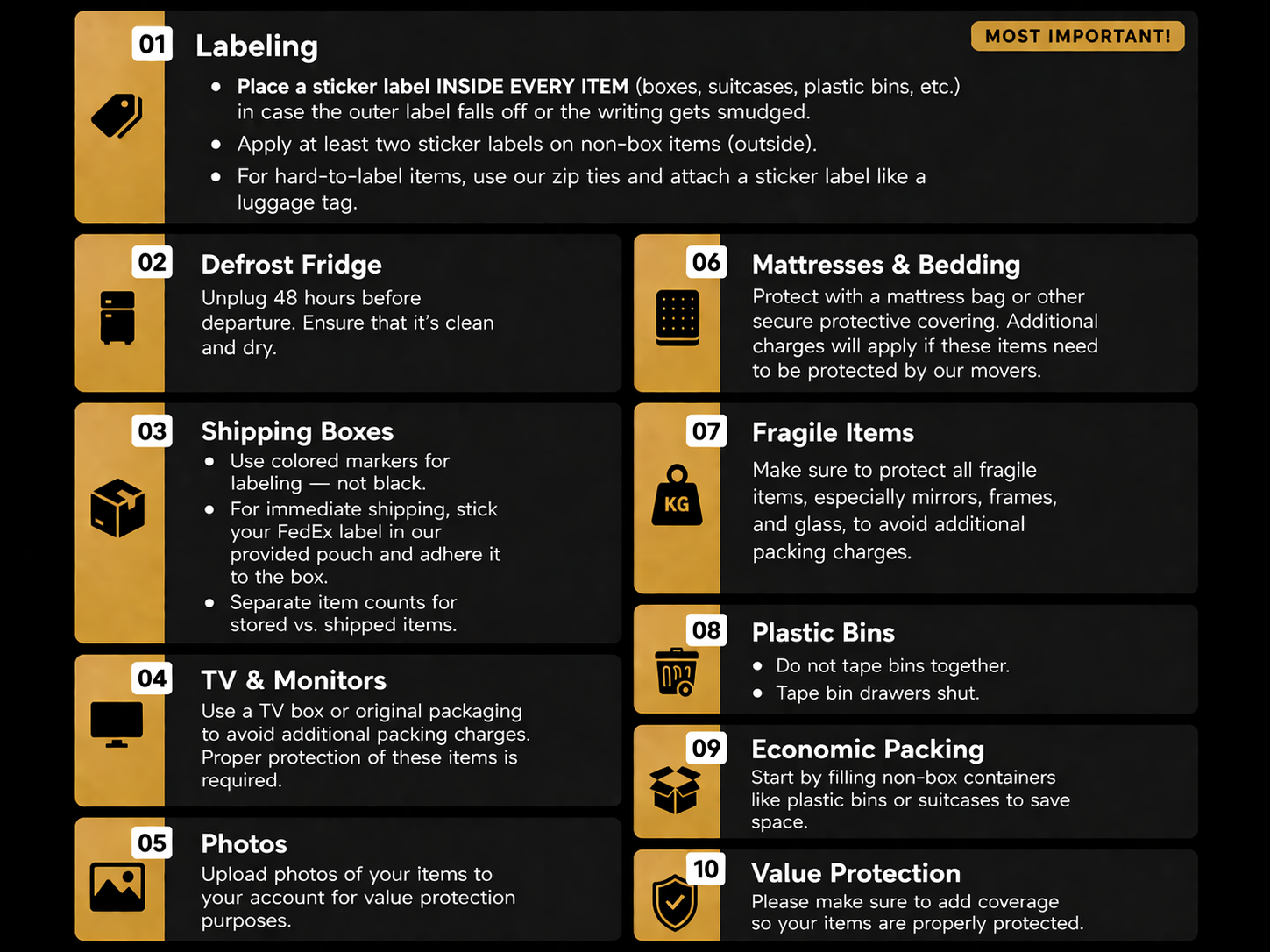
Knowing how to wrap a monitor properly is the difference between a flawless setup at your new location and a costly replacement. The most important steps include using a soft fabric layer, adding a rigid barrier, applying two layers of bubble wrap, choosing the correct double-walled box, and keeping the monitor upright during transport. Clear labeling and temperature awareness round out a complete protection strategy.
Apply these techniques on your next move and your monitor will arrive scratch-free and fully functional. For premium displays, curved screens, or large office relocations, trust professional movers who specialize in electronics handling. Your screen is worth the extra care.