You’ve styled your desk, picked the perfect lighting, and arranged your bookshelf, yet your monitor still looks like a chunky slab of plastic that ruins your aesthetic. The black bezel clashes with your cozy, minimalist vibe and constantly reminds you that technology is taking over your workspace. If you want to learn how to frame a monitor so it blends into your decor like a piece of art, you are in the right place.
This guide breaks down the most effective method for framing a monitor using flexible peel-and-stick moulding. You will discover why this approach beats vinyl wraps and heavy picture frames, which tools actually deliver clean cuts, and how to avoid the most common beginner mistakes. By the end, you will have a sleek, art-like display that elevates your entire room.
Pick the Best Framing Method for Your Monitor
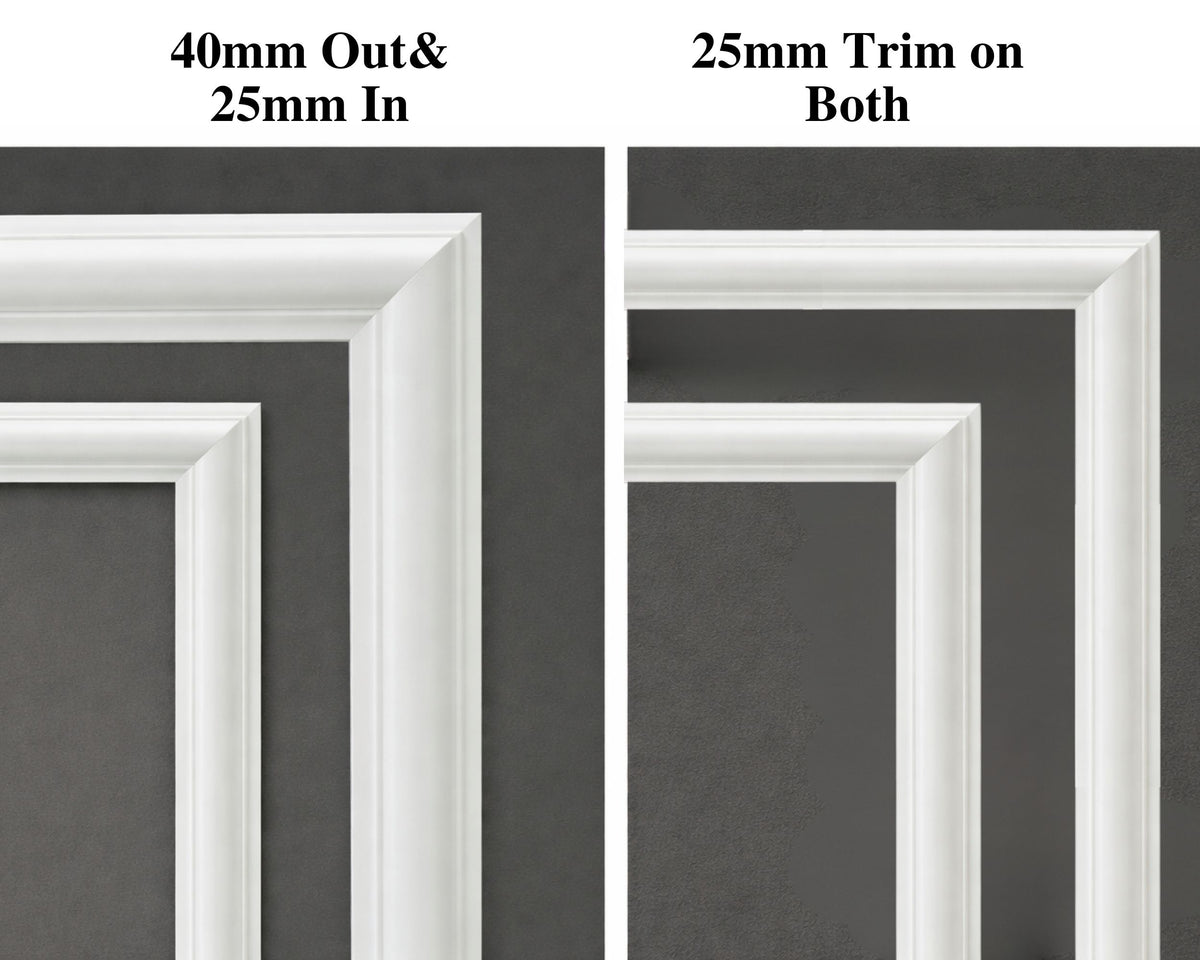
Not every monitor framing technique delivers a polished result. Some look cheap, others damage your screen, and many simply fail on modern thin-bezel displays. Here is a quick breakdown of your main options.
Why Flexible Peel-and-Stick Moulding Wins
The top choice for most people is flexible peel-and-stick moulding, originally designed for wall decor. This material bends slightly to fit uneven bezels, comes pre-colored with a 3D textured finish like gold or bronze, and sticks securely with a strong adhesive backing. It is lightweight, adds no bulk, and peels off cleanly later without residue. This makes it perfect for portable monitors and renters who cannot make permanent changes.
Methods to Avoid
Several popular framing approaches create more problems than they solve.
- Vinyl wraps leave visible seams, trap air bubbles, and peel at the edges over time.
- Heavy picture frames cannot balance on thin bezels and risk sliding off or cracking your screen.
- Spray painting requires perfect masking, multiple coats, and ventilation, and it permanently alters your monitor’s resale value.
- Custom wood moulding looks beautiful but demands carpentry skills, miter cuts, and permanent adhesive or screws.
Gather the Right Tools and Materials
Using the wrong tools is the number one reason monitor framing projects fail. Scissors might seem convenient, but they will ruin your cuts and waste your material. Invest in proper gear from the start.
Cutting Tools That Actually Work
You need a rigid blade that slices cleanly through moulding material.
- Exacto knife or utility knife with a fresh, sharp blade
- Metal ruler to guide straight and angled cuts
- Cutting mat to protect your work surface
- Table saw (optional) for perfect 45-degree miter cuts on larger projects
Never use safety scissors. They flex during cutting, causing jagged lines and mismatched angles that leave gaps at the corners and expose the white core of the moulding.
Materials You Will Need
Keep your supply list short and effective.
- Flexible peel-and-stick moulding in a pre-colored, 3D textured finish
- At least 5 meters of moulding for a standard 15 to 24 inch monitor
- Isopropyl alcohol and a lint-free microfiber cloth for surface prep
Buying extra material is non-negotiable. Mistakes happen, and re-cuts require fresh pieces.
Measure Each Side of Your Monitor
Precision at this stage determines whether your finished frame looks professional or crooked. Do not assume your monitor has symmetrical bezels.
Check for Uneven Bezels
Many monitors have a thinner top bezel than the sides or bottom. Measure each edge individually and write down the exact length. Add 1 to 2 cm of extra length to every measurement for wiggle room during fitting.
Record Your Four Measurements
- Top edge length
- Bottom edge length
- Left side length
- Right side length
These numbers will guide your cuts and help you avoid wasting material.
Cut the Moulding at 45-Degree Angles
A professional monitor frame has mitered corners where each end is cut at 45 degrees so the pieces meet flush. Getting this right takes patience.
How to Make Clean Miter Cuts
Follow these steps for each of the four strips.
- Place the moulding flat on a cutting mat.
- Position a metal ruler diagonally across the end at a 45-degree angle.
- Hold the ruler firmly and slice through with an Exacto knife in one smooth motion.
- Repeat for all four pieces, ensuring opposite sides are identical in length and angle.
Cut slightly long first. Test fit, then trim as needed. You can always cut more off, but you cannot add it back.
Toss Imperfect Cuts
If a cut exposes the white inner layer, misses the angle, or comes out jagged, throw the piece away. Forcing a bad piece ruins the entire frame and creates visible flaws. Start fresh with a new strip.
Test Fit Before Peeling the Adhesive
Never peel the backing until you are 100 percent confident the pieces fit. This step saves you from sticky disasters.
Arrange the Pieces on a Flat Surface
Lay the four strips around the monitor face-up on a table. Check whether corners meet tightly, angles align, and the frame looks centered. Adjust or recut any piece that does not fit. Sometimes flipping a strip changes how the angle joins.
Check for Overhang on Thin Bezels
If your monitor’s top bezel is very thin, the moulding may extend slightly beyond the edge. This is acceptable as long as the adhesive attaches only to the frame, the overhang is even and symmetrical, and it does not interfere with the stand or dock. From the front, the frame should look balanced and intentional.
Apply the Moulding in the Right Order

Now that everything fits, it is time to stick the frame on. The order of installation matters for a clean result.
Prep the Bezel First
Wipe the monitor’s frame with isopropyl alcohol and a microfiber cloth. Remove dust, oils, and any residue. A clean surface ensures the adhesive bonds properly and lasts for years.
Install Bottom, Sides, Then Top
Work in this sequence for the best alignment.
- Start with the bottom strip to create a stable base.
- Apply the right and left sides, aligning them with the bottom corners.
- Finish with the top strip, pressing gently to avoid shifting the lower pieces.
Peel back 2 to 3 cm of adhesive backing at a time. Align the moulding precisely and press down firmly before peeling more backing. Use your finger or a soft tool to rub along the entire length for full contact. Pay extra attention to the corners, since lifting usually starts there.
Inspect the Final Frame and Fix Common Issues

One last check ensures a flawless finish before you call the project complete.
Look for Gaps and White Edges
Walk around the monitor and view it from different angles. If you spot a gap at a corner, the angle was off and you need to recut. If the white core shows, your cut was too shallow and the piece must be replaced. Uneven overhang means you should measure again and reposition.
Clean Up Debris
Cutting moulding produces small plastic fragments. Vacuum or wipe the area thoroughly to avoid scratching the screen or getting debris inside ports. A clean workspace also helps you see any flaws in the frame more clearly.
Maintain and Remove Your Monitor Frame
Your monitor now blends into your space like a piece of art. Keep it looking fresh with minimal upkeep.
Dust It Like a Picture Frame
Use a dry or slightly damp microfiber cloth. Avoid harsh cleaners and just wipe as you would a framed photo. The 3D texture may collect a bit more dust than a flat surface, so plan a quick weekly wipe.
Remove Without Damage
When it is time to switch styles or resell, follow these steps.
- Gently lift one corner with a fingernail or plastic tool.
- Pull slowly at a 180-degree angle straight back.
- The adhesive should release cleanly without residue.
Most high-quality peel-and-stick moulding leaves no marks, which preserves your monitor’s resale value.
Expand the Technique
Once you master framing a monitor, try it on laptops, tablets, or smart home displays. Different colors and textures let you match seasonal decor or room themes without committing to permanent changes.
Frequently Asked Questions About Framing a Monitor
What is the best material for framing a monitor?
Flexible peel-and-stick moulding is the best material for most people. It is lightweight, comes in pre-colored 3D finishes, adheres strongly, and peels off cleanly when you want to remove it. It also works on thin and uneven bezels where traditional frames cannot.
Can I use regular scissors to cut the moulding?
No. Safety scissors flex during cutting, which causes jagged edges, mismatched angles, and gaps at the corners. Always use an Exacto knife, utility knife, or table saw with a metal ruler guide for clean 45-degree miter cuts.
How much moulding do I need for a standard monitor?
For a 15 to 24 inch monitor, buy at least 5 meters of moulding. This gives you enough material for mistakes, re-cuts, and the four sides of the frame. Running short mid-project is a common frustration, so always buy extra.
Will the adhesive damage my monitor when removed?
High-quality peel-and-stick moulding is designed to release cleanly without residue. Lift one corner with a fingernail or plastic tool and pull slowly at a 180-degree angle. The adhesive should come off in one piece and leave the original bezel intact.
Does framing a monitor work on portable screens with thin bezels?
Yes. Flexible moulding is ideal for portable monitors, including 18-inch 4K models with thin or uneven bezels. The material bends slightly to fit variations, and the adhesive bonds directly to the frame without adding weight or bulk.
Can I paint the moulding a different color?
Pre-colored moulding is recommended because the finish is already applied evenly and looks professional. If you want a custom color, light spray coats can work, but the process adds labor and risk of chipping. Choosing a pre-colored finish saves time and delivers a more consistent look.
Key Takeaways for Framing a Monitor

Framing a monitor is one of the highest-impact, lowest-effort upgrades you can make to your workspace. The flexible peel-and-stick moulding method delivers a polished, art-like appearance without permanent changes, making it perfect for renters, portable monitor owners, and anyone who wants to preserve resale value.
The critical success factors are simple. Use a sharp Exacto knife or table saw for 45-degree miter cuts, buy at least 5 meters of moulding to cover mistakes, and always test fit before peeling the adhesive. Clean your bezel with isopropyl alcohol first, install the bottom strip before the sides and top, and press firmly at every corner.
Ready to transform your setup? Grab 5 meters of flexible peel-and-stick moulding in a finish you love, set up your cutting mat, and start with a single test strip. Once you see how easy it is to frame a monitor, you will want to do it on every screen in your home.