You are not alone if your computer monitor feels like an eyesore in your living room, bedroom, or minimalist workspace. As remote work blurs the line between office and home, more people are searching for elegant ways to hide a computer monitor when not in use, without sacrificing functionality. Whether you want a sleek floating look, a full mechanical reveal, or a budget-friendly disguise, the right solution can transform your space from cluttered to curated.
Hiding your monitor is not just about aesthetics. It is about reclaiming your environment. A concealed setup turns a desk into a console, a dining table, or a blank canvas for your interior design. This guide covers every method, from high-end motorized lifts to DIY framing hacks, all backed by ergonomic and practical insights. You will learn how to choose the best approach based on your space, budget, and lifestyle, so your tech serves you, not the other way around.
Motorized Lift Systems for Hidden Monitors
Built-In Monitor Lift Desks
All-in-one lift desks offer the most seamless way to hide a computer monitor. These desks feature a hidden compartment beneath the surface where the screen rests when powered off. With the press of a button, the monitor rises smoothly into view. Premium models operate silently and support single or dual monitors, making them ideal for executive offices or modern living rooms.
These systems integrate power and data cables internally, ensuring a clean look. Some are ADA-compliant, designed for accessibility with smooth height transitions and storage compartments that accommodate monitors up to 24 inches. While costly, they deliver unmatched convenience and a futuristic feel, perfect for those who value automation and elegance.
Standalone Lift Mechanisms
For custom setups, standalone monitor lifts let you retrofit existing furniture. These modular units fit inside desks, cabinets, or consoles and can be triggered by remote, button, or sensor. They are ideal for DIYers and interior designers who want full control over aesthetics. Use them in a credenza, sideboard, or media console.
Dual-monitor lifts balance heavier loads and wider spans, maintaining stability during ascent. When paired with a VESA mount, they support most screens up to 32 inches. Installation requires precise cutouts and electrical access, so professional help is recommended for flawless integration.
Push-to-Open Desk Garage Technology
Inspired by luxury car storage, push-to-open systems like KI’s Smart Lift™ let you reveal your monitor with a simple tap. No buttons, no remotes, just press the desktop panel and the monitor rises from a concealed “garage.” This minimalist activation method enhances the illusion that your workspace is truly invisible.
These systems are engineered for durability, with counterbalance mechanisms ensuring smooth, quiet motion. Best suited for high-end builds, they elevate the user experience by making technology feel intuitive and out of sight.
Furniture-Based Concealment Solutions
Hidden Office Armoires and Cupboards
Convert a bookcase or cabinet into a secret office. Armoires with fold-down desks or pull-out trays hide monitors behind closed doors. When shut, the unit looks like a standard piece of furniture, perfect for living rooms or guest bedrooms.
Popular DIY hacks include modifying an IKEA Billy bookcase into a drop-down workstation. Add a small keyboard tray and cable management behind the doors, and your monitor disappears completely. This solution is renter-friendly if you use freestanding furniture.
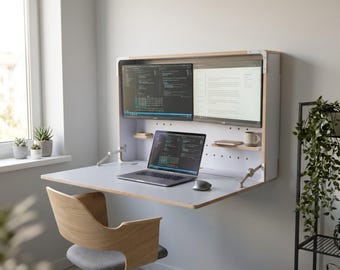
Murphy and Fold-Away Desk Designs
Murphy-style desks fold up into the wall or inside a cabinet, taking the entire setup, including the monitor, out of sight. Some designs use hinges to swing the monitor face-down into a recessed compartment, while others mount the screen on a flip-up panel.
These are ideal for studios or small apartments where every square foot counts. When combined with a monitor arm, the screen can pivot into a vertical storage position, reducing depth. A well-executed Murphy desk transforms a room from office to lounge in seconds.
Piano-Style Monitor Covers
For a whimsical yet functional twist, piano-style desks feature a hinged cover that flips down like a keyboard lid. Underneath lies your monitor and accessories. When closed, it resembles a vintage piano or console table.
Some advanced versions include a false keyboard surface for visual continuity. These are custom-built but offer unmatched charm for design-focused spaces. They work best in rooms where the desk serves as a decorative centerpiece.
Wall-Mounted and Floating Monitor Setups
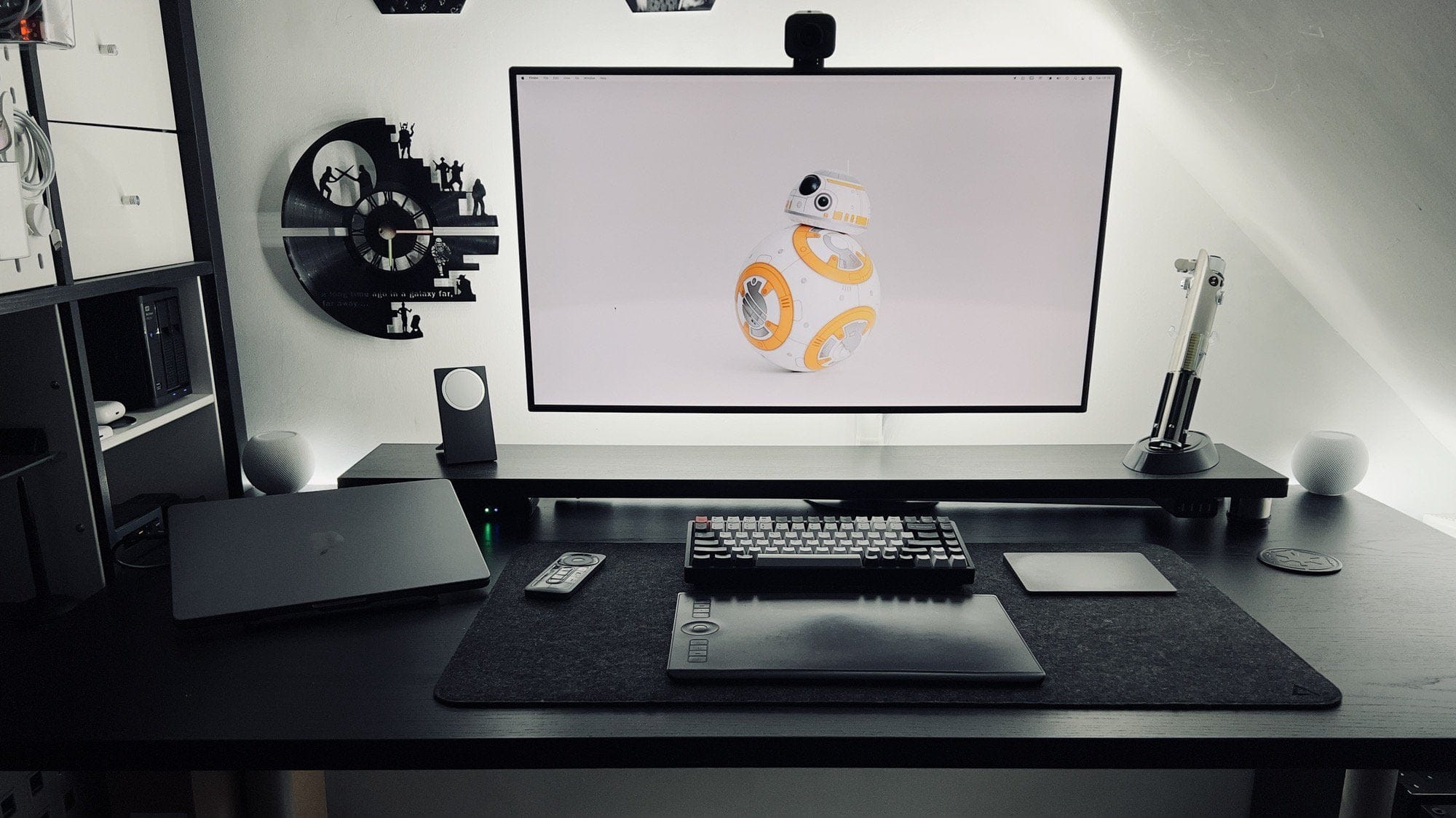
Monitor Arms for a Floating Look
A monitor arm is the single most effective tool for minimizing visual clutter. By replacing the bulky factory stand, it lets your screen float above the desk. Clamp or grommet-mounted arms route cables through the arm itself or along the desk’s underside.
Top-tier brands like Ergotron offer gas-spring arms that support precise height, tilt, and swivel adjustments, which are critical for ergonomics. Dual arms handle two monitors with balanced stability. Choose a model that matches your monitor’s weight and VESA pattern (standard 75x75mm or 100x100mm screw holes).
For a truly hidden effect, retract the arm against the wall when not in use. Pair it with a wall power outlet or built-in cable channel to eliminate dangling cords.
Wall-Mounted with Art Panels
Mount your monitor flush to the wall using a low-profile VESA bracket. Then install a sliding or hinged decorative panel in front, like a piece of artwork or mirrored door. When you need to work, slide the panel aside to reveal the screen.
Use lightweight materials like acrylic or framed canvas for easy movement. Magnetic or track-mounted panels allow silent operation. This method is perfect for media walls or minimalist bedrooms where the monitor doubles as a TV.
Floating Desk Integration
Pair a wall-mounted monitor with a floating desk to eliminate legs and under-desk clutter. The monitor appears to hover above a sleek surface, creating a clean, modern aesthetic. Use the wall space behind the monitor for shelves or storage to further blend tech into decor.
Ensure the desk is securely anchored and the monitor arm is mounted to a stud or solid backing. This setup works best in permanent spaces but can be replicated with freestanding narrow consoles for renters.
Aesthetic Camouflage Techniques for Monitors

Custom Frame with Panel Moulding
Transform your monitor’s black bezel into a decorative frame. Use flat-back panel moulding, cut at 45-degree angles, and glue into a rectangle that fits around the screen. Spray paint it gold, wood grain, or match your wall color.
Attach with 3M mounting strips or Velcro for easy removal with no permanent damage. For a pro finish, hire a framing shop to build a custom frame. This method turns your monitor into a piece of art when off.
Vinyl Wrapping for Seamless Disguise
Apply patterned vinyl tape (like 3M TV Color Tape) to the monitor bezel. Wood-grain patterns are ideal because they hide seams and overlaps better than solid colors. Pull the tape straight across the front, wrapping excess around the back.
Avoid stretching or bubbling by working slowly. This low-cost hack instantly upgrades the look of any monitor. Choose removable vinyl for flexibility, especially in rental units.
Painted Frames and Color Matching
For the bold DIYer, spray paint your monitor frame to match your room. Tape off vents, ports, and the screen first. Use primer, then apply light coats of spray paint in your chosen color.
Warning: This is high-risk. Mistakes can damage electronics or create uneven finishes. Only attempt if you are experienced with spray paint and willing to accept potential flaws. Better suited for older monitors you plan to retire soon.
Structural Support and Stand Hacks
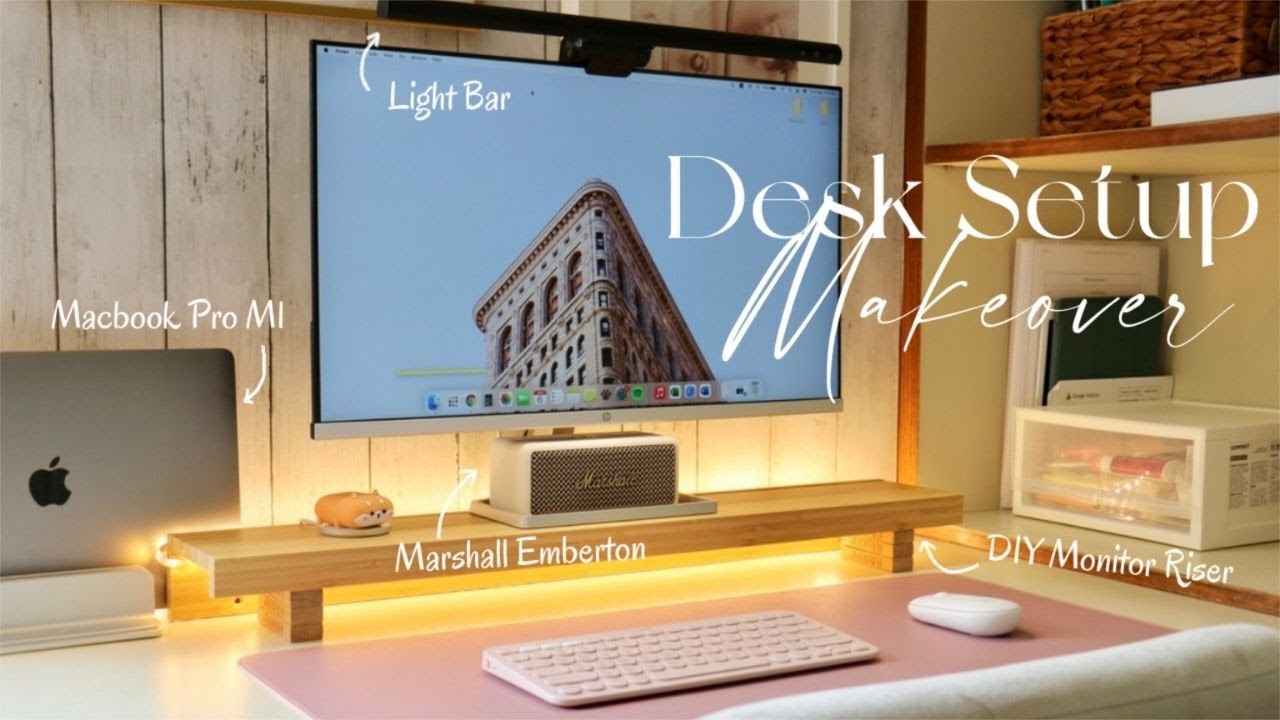
Upgrade to a Designer Monitor Stand
Replace the default stand with a stylish riser. Solid wood stands from brands like Grovemade or Ergonofis offer warmth and durability. Metal mesh or copper-pipe DIY stands add industrial flair.
For large monitors, choose heavy-duty materials. Flimsy acrylic stands can wobble or collapse. A well-built stand elevates your monitor to eye level while doubling as decor.
DIY Glowing Leg Riser
Create a custom riser using a butcher block over a hollow acrylic box. Place LED fairy lights inside the box to create a soft glow from below. This distraction draws the eye away from the monitor’s base and adds ambiance.
Use white or warm light to match your room’s tone. Secure the monitor with adhesive pads or a non-slip mat. This is a renter-friendly way to add personality without permanent changes.
Vertical Laptop Storage
If using a laptop as your primary device, hide it vertically when not in use. Use a laptop holder that stands it on end, like a book on a shelf. Paint or wrap the holder to match your desk.
This frees up desk space and keeps the laptop secure. Pair it with a wireless keyboard and external monitor so the laptop can stay hidden while you work.
Cable Management Essentials
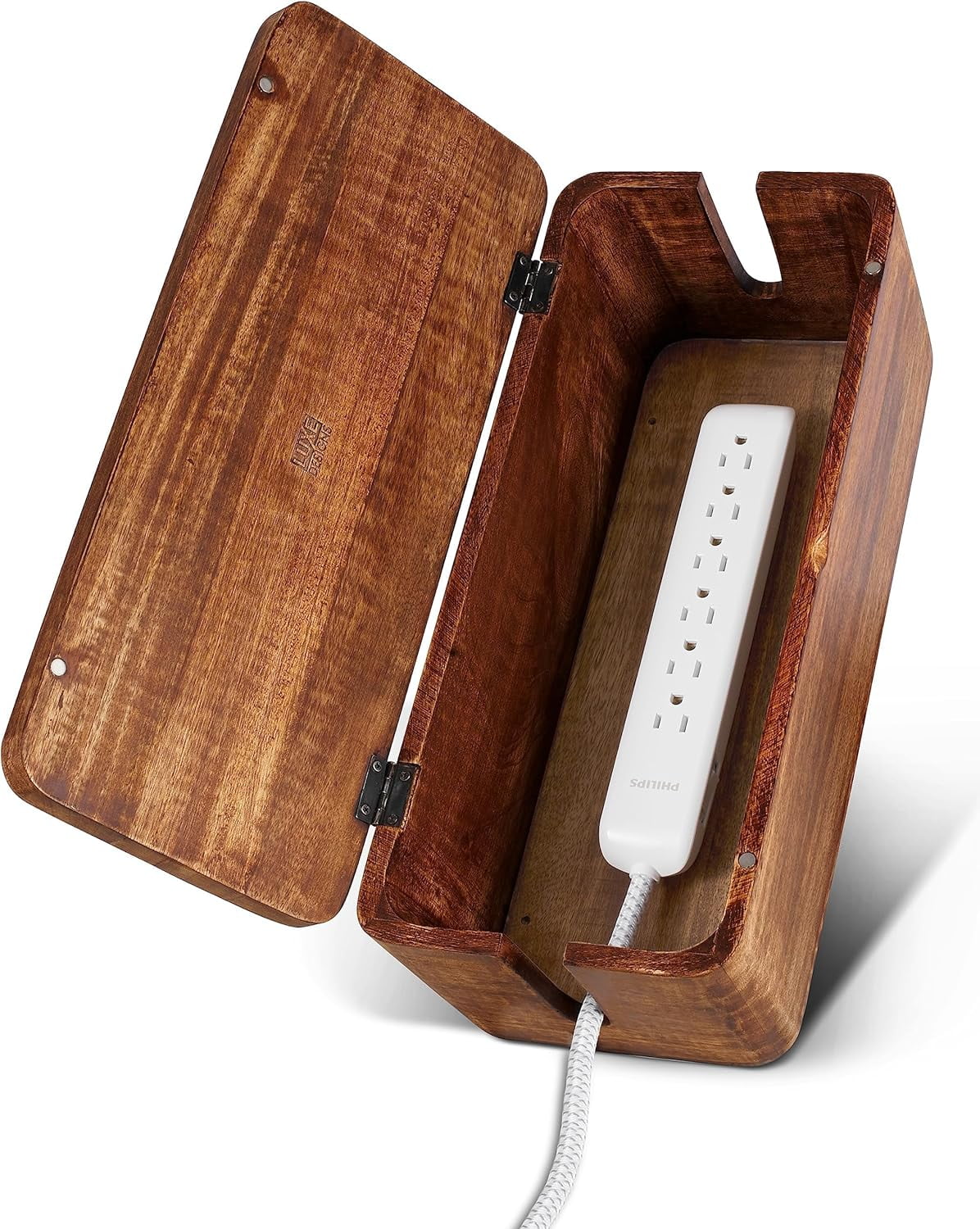
Hide Cords with Boxes and Clips
Even the best-hidden monitor fails if cables dangle. Use a cable management box to enclose power strips and adapters. Route cords along the desk’s underside with adhesive clips or raceways.
For wall-mounted setups, run cables through a conduit or behind baseboards. Use velcro straps instead of zip ties for easy access during upgrades.
Go Wireless for Clean Lines
Switch to a wireless keyboard and mouse to eliminate two major cables. Pair with a USB docking station to reduce the number of connections to your computer.
For laptops, use Bluetooth peripherals and cloud-based storage to minimize physical ports. The fewer wires, the more invisible your setup feels.
Floor and Mid-Room Desk Solutions
If your desk sits in the middle of a room, manage cables on all sides. Use floor cable covers that blend with your rug or flooring. For permanent setups, consider in-floor power outlets or a central pole with internal wiring.
Risers with hollow legs can hide vertical cable runs. Keep everything tight and secured. Any slack ruins the clean look.
Ergonomics and Practical Use
Maintain Proper Viewing Height
No matter how hidden your monitor is, it must sit at eye level when in use. The top of the screen should align with your natural gaze to prevent neck strain.
Lift systems and monitor arms excel here because they offer precise height adjustment. If using a riser, add books or hidden drawers underneath to reach the correct level.
Ensure Quick and Easy Access
A hidden monitor should be easy to reveal. If the mechanism is slow, noisy, or complicated, you will avoid using it. Prioritize smooth operation, especially with motorized systems.
For fold-down desks or armoires, ensure the opening path is clear and the latch is intuitive. The faster you can switch between work and lifestyle modes, the more likely you are to keep your space clutter-free.
Balance Dual Monitor Setups
Hiding two monitors requires extra planning. Use a dual-monitor lift or heavy-duty dual-arm mount designed for balance. Avoid cantilevered setups that tip forward.
If using a fold-down cabinet, center the weight distribution. Test the mechanism repeatedly to ensure long-term stability. Dual setups demand stronger hardware, so do not cut corners.
Choose the Right Monitor Hiding Solution for You
Luxury Homes and Executive Offices
Go all-in with custom cabinetry and motorized lifts. Integrate the monitor into a high-gloss console or boardroom table. Use push-to-open tech for a futuristic touch. Budget allows for professional installation and premium materials.
Small Apartments and Studios
Focus on space-saving fold-away desks and wall mounts. A Murphy desk or wall-mounted arm maximizes floor space. Use vertical storage for laptops and accessories. Prioritize multifunctional furniture.
Renters and DIYers
Stick to non-permanent solutions like monitor arms, vinyl wraps, 3M-framed bezels, and freestanding armoires. Avoid drilling or permanent modifications. Portable cable boxes and wireless peripherals keep your setup flexible.
Minimalists and Design Lovers
Aim for floating arms, wireless gear, and aesthetic framing. Every visible element should feel intentional. Hide all cables, use neutral or matching colors, and choose monitors with slim bezels or disguise them.
Privacy-Conscious Users
Use armoires, cupboards, or privacy panels to completely block the screen from view. Add a folding screen behind the monitor if the back is visible. This is ideal for shared living spaces or open-floor homes.
Frequently Asked Questions About Hiding a Computer Monitor
What is the cheapest way to hide a computer monitor?
The most affordable option is a vinyl wrap using patterned tape like 3M TV Color Tape. You can also use a freestanding armoire or repurposed bookcase. Both require minimal investment and no permanent modifications.
Do monitor arms work with any screen?
Monitor arms work with any monitor that supports a VESA mounting pattern, which is the standard 75x75mm or 100x100mm screw configuration on the back. Always check your monitor’s weight and size against the arm’s specifications before purchasing.
Can I hide two monitors in a small desk?
Yes, dual-monitor lifts and heavy-duty dual-arm mounts are designed for this purpose. Choose hardware rated for the combined weight of both screens, and ensure the mechanism can handle the wider span without wobbling.
Will hiding my monitor affect ergonomics?
Not if you set it up correctly. The monitor must still reach eye level when revealed. Lift systems and adjustable monitor arms make this easy. Avoid solutions that force you to hunch or strain to see the screen.
Are motorized monitor lifts worth the cost?
For luxury homes, executive offices, or anyone who values seamless automation, motorized lifts offer unmatched convenience and aesthetics. For casual users, simpler solutions like monitor arms or fold-away desks provide similar benefits at a fraction of the cost.
What is the best hiding solution for renters?
Monitor arms with clamp mounts, vinyl wraps, and freestanding armoires are ideal. These options require no drilling, no permanent adhesives, and can move with you. Wireless peripherals further reduce the need for any modifications.
Key Takeaways for Hiding Your Computer Monitor
Hiding a computer monitor is no longer a luxury. It is a design necessity for modern living. Start by identifying your priorities, whether that is aesthetics, space savings, privacy, or budget. From there, match the solution to your lifestyle.
Remember three critical points. First, ergonomics matter; a hidden monitor that strains your neck defeats the purpose. Second, cable management makes or breaks the illusion; even the best concealment fails with dangling wires. Third, choose reversible solutions if you rent or plan to upgrade your tech.
Your next step is simple. Pick one method from this guide that fits your space and budget. Whether you invest in a motorized lift or wrap your screen in wood-grain vinyl, the goal is the same: a workspace that disappears exactly when you want it to.